

Apps that pay you to play games: the hourly rate nobody puts in the headline
Apps that pay you to play games do pay. The published rates land between roughly 0.50 and 3 dollars an hour, and the better offers reach higher. The question worth answering is not whether the money is real, but why almost everyone earns less in week two than in week one.
The rates, straight from the sources
| Type of offer | Typical rate | Notes |
|---|---|---|
| time based play | 0.50 to 2 dollars an hour | paid for minutes, not results |
| established reward apps | about 1 to 3 dollars an hour | the most commonly quoted band |
| high payout task offers | 3 to 7 dollars an hour | limited supply, disappear fast |
| casual use across activities | 20 to 50 dollars a month | what most people actually see |
Notice the bottom row. It is the only one describing outcomes rather than rates, and it is the number to plan around.
Where the money comes from
Understanding the source explains every quirk of these platforms.
A mobile game developer has a budget to acquire players. An advertising network takes part of it for delivering them. The reward app takes another part for supplying you. What reaches your balance is what is left at the end of that chain.
Two consequences follow immediately. Your rate is a residual, not a starting point. And the more intermediaries, the less arrives, which is why apps aggregating offers from several networks pay worse than those working directly.
Why the rate falls after the first week
This is the mechanism the listicles skip.
Advertisers pay for acquisition, not for loyalty. The bounty exists to get a new player installed and past an early milestone. Once you have done that for a given game, you are no longer worth anything to that advertiser.
So your first sessions draw from the full pool of available offers, including the best paid ones. After that you are working through leftovers: lower paying games, repeat offers at reduced rates, and time based play that was always the worst option.
The practical implication is precise. Judge these apps on one complete high value offer, not on a day and not on a month. A single day flatters them. A month makes them look like a scam. One offer, start to payout, tells you the truth.
Two different models wearing the same badge
Paid for progress. Install a game, reach a defined level, collect a stated amount. The reward is known in advance, arrives once, and the offer then disappears from your list.
Paid for time. Points accumulate per minute with no target. Lower rates, but the supply never runs out.
The first model produces the numbers used in headlines. The second produces the numbers people report after a month. Lists mix them together, and that explains why the average always looks better than the experience.
If you are testing a platform, start with progress offers. They are the only part of the category with a defensible hourly rate.
What we are deliberately leaving out
Several of these lists include apps where you put your own money in to compete for a prize. We are not covering those here.
The reason is simple: the moment your own money is at stake, it stops being a way to earn from playing and becomes something else entirely. This article is about being paid for your time and attention, which is a different transaction with a different risk profile.
Everything below applies to offers where the only things you spend are hours, phone storage and data.
What a good offer looks like
Since the whole category lives or dies on the quality of individual offers, it helps to know what a good one has in common.
A stated reward and a stated milestone. Reach level twenty, receive a specific amount. No vague talk about accumulating points faster.
A milestone reachable in hours, not weeks. Offers requiring thirty days of daily play are time based play dressed up as a bounty.
A game you can tolerate. The rate assumes you keep going. If you abandon it halfway, your effective rate for that offer is zero.
Clear tracking. Good platforms show progress against the milestone. When progress is invisible until the end, disputes become your problem.
Offers missing two or more of those are the reason people describe these platforms as never paying out. The offer was bad, not necessarily the platform.
The costs that never appear in the rate
- Your data. Installed apps and surveys are paid for precisely because of what they learn about you.
- Attention. Advertising is the product, and you are watching it.
- Battery, storage and mobile data. Small individually, real across a month of daily use.
- Withdrawal minimums. Anything from 0.20 to 5 dollars. Below the threshold, your balance is a number on a screen.
The last one causes the most complaints. Points expire, accounts go dormant, and thresholds are set exactly where a casual user stalls. Check the minimum before the first task, never after the tenth.
How to test a platform properly
- Find the withdrawal minimum and method before signing up for anything.
- Pick the highest paying progress offer available on day one.
- Time it honestly, including the download and the dead minutes.
- Withdraw as soon as you clear the threshold. Do not accumulate toward a bigger goal.
- Compare your real hourly rate to what else you could do with those hours.
Run that once and you will know more about the platform than any ranked list can tell you, because you will have measured your own rate rather than someone else’s best case.
Keeping it separate from the rest of your phone
One practical habit removes most of the downside of this category.
Use a dedicated email address for these platforms. It keeps the marketing out of your real inbox and makes it obvious later which service sold your address on.
Check what each installed game asks for. A puzzle game requesting contacts or location is asking for something it does not need to function, and you are free to decline and move on to the next offer.
Remove games once the offer is paid. They keep running services in the background, and the reward for keeping them is nothing, because the bounty is already collected.
When this is actually worth doing
Dead time you were losing anyway. Commutes, queues, waiting rooms. Turning nothing into a few dollars is a clean win.
A specific small target. A gift card, a game, a skin. Finite goal, finite effort.
The alternative is scrolling a feed. The comparison that matters is not against a job, it is against the alternative use of that exact half hour.
When it is not
You have hours you could sell elsewhere. Almost any paid work beats these rates, and several of the sources ranking these apps say so themselves.
The target is something expensive. At a few dollars an hour, the arithmetic on anything costing three figures is brutal.
You already own items worth money. Selling items you have takes minutes rather than weeks, and we ran the numbers over at how much you lose selling CS2 skins.
For anyone in that last group, the honest ranking is: sell what you already own, then use the free in game systems described over at free CS2 skins without a deposit, and treat reward apps as the fallback rather than the plan.
How this compares to other gaming income
Set side by side with the alternatives, this category has one clear property: it is the most predictable and the lowest paid.
Streaming has an enormous ceiling and pays nothing for months, which we covered in how much Twitch streamers make. Selling items pays today but only once. Reward apps pay a small amount reliably, forever, for as long as you keep feeding them hours.
Which of those is right depends entirely on whether you have time or assets. It is not a question of which app is best.
Frequently asked questions about apps that pay you to play
How much do apps that pay you to play games actually pay?
Time based play runs roughly 0.50 to 2 dollars an hour. Established apps land around 1 to 3, and the best task offers reach 3 to 7 while they last.
Why did my earnings drop after the first week?
Advertisers pay for new installs, not for continued play. Once the best offers are used up, only lower paying ones remain.
Are these apps legitimate?
The model is legitimate and openly advertising funded. The caution is about withdrawal minimums, permissions and data.
What is a realistic monthly total?
Most casual users report somewhere between 20 and 50 dollars a month across all activities.
What should I check before signing up?
The withdrawal minimum and payout method. Everything else can be discovered later, but those two decide whether you ever get paid.
Can you make a living from this?
No. Even the sources ranking these apps state that ordinary side work pays better per hour.
What is the best way to test one?
Complete a single high paying offer, time it honestly and withdraw immediately. One offer tells you more than a month of casual use.
Last updated: September 2026
How much do Twitch streamers make? Start from 100 subs, not from the top
How much do Twitch streamers make is really two questions stacked on top of each other. The first one has a clean answer: a tier one subscription pays the streamer around 2.50 dollars a month. The second one, how many subs a normal channel actually has, is the one that decides whether any of this matters.
The per subscriber numbers
Start with what is knowable, because the rest is built on it.
| Tier | Viewer pays | Streamer keeps (50/50) | On a 70/30 deal |
|---|---|---|---|
| tier one | 4.99 | about 2.50 | about 3.50 |
| tier two | 9.99 | about 5.00 | higher |
| tier three | 24.99 | about 12.50 | higher |
The commonly quoted rule of thumb, roughly 250 dollars a month per 100 subscribers, falls straight out of that table. It assumes tier one and the standard split, which is what most channels have.
Better splits exist, but they are negotiated, and they are negotiated by people whose channels are already large enough to negotiate with.
What that looks like at three sizes
Multiply the rule of thumb and the picture becomes concrete.
- 100 subs: around 250 dollars a month from subscriptions.
- 500 subs: around 1250 dollars a month.
- 2000 subs: around 5000 dollars a month, which lands inside the range usually quoted for full time streamers.
Those are gross figures before tax, before equipment, before the hours. They are also subscription income only, which for larger channels is a minority of the total.
The number nobody publishes
Here is the part missing from every calculator: subscribers are a small fraction of viewers.
A channel does not convert its audience the way a shop converts foot traffic. Most people watch for free indefinitely, and the ones who subscribe tend to be regulars who show up week after week.
That means 100 active subscriptions is not 100 people who once clicked your stream. It usually implies a stable audience several times that size, showing up consistently, over months.
So the honest translation of the 250 dollars a month figure is: a channel that has already done the hard part. Getting to 100 subs is the achievement. The payout is the receipt.
What the payout actually looks like arriving
The mechanics of getting paid change the number again, and this part rarely appears in earnings articles.
There is a payout threshold. Balances below it roll over instead of arriving, so a small channel can earn for several months before seeing anything.
Payments are delayed. Money earned in one month lands well into the next, which makes early income feel even thinner than it is.
Subs churn. A percentage lapses every month, so a channel with 100 subs is really a channel adding new ones fast enough to replace the ones leaving.
None of this changes the arithmetic, but it changes the experience. The gap between doing the work and seeing money is longer than the raw figures suggest, and that gap is where most people quit.
Why subs are the smallest part at the start
At the bottom of the ladder, subscription income is close to noise, and the money that does arrive comes from elsewhere.
Affiliate links and codes. These pay on what your audience buys, not on how many people watch. A hundred engaged viewers can outperform a thousand passive ones.
Sponsored content. Smaller channels get products before they get cash, which lowers costs rather than raising income.
Work adjacent to streaming. Editing, clip production and social media for other creators pay immediately and use the exact skills the channel is teaching you.
Which is why the first real money for most streamers has nothing to do with Twitch’s payout system at all.
What the top of the range hides
The figures quoted for full time streamers, often 3000 to 6500 dollars a month, describe people whose channel is a job.
Two things are bundled inside those numbers. First, multiple income streams: subs, bits, ads, sponsorships and affiliate deals together. Second, survivorship. The people producing those figures are the ones who did not quit, which is a small fraction of everyone who started.
Reading the range as a forecast for your own channel is like reading the salary of a first team footballer as a forecast for a Sunday league player. Same activity, different population.
Bits, ads and the rest
Subscriptions are the headline, but three other streams show up in every earnings breakdown and each behaves differently.
Bits. Roughly a cent each to the streamer. They are a tipping mechanic, so income scales with how attached the audience is rather than how large it is.
Ads. Paid per thousand views, which means they only become meaningful once concurrent viewers are counted in hundreds. Running more of them on a small channel costs retention and gains pennies.
Direct donations. The one stream with no platform cut, and the one that depends entirely on the relationship rather than the numbers.
The pattern across all three: engagement pays better than reach at small scale, and reach only starts winning once it is very large.
The costs side of the ledger
Streaming has real costs, and most of them are paid before a single dollar arrives.
| Cost | Why it matters |
|---|---|
| microphone | audio quality decides whether people stay past the first minute |
| upload bandwidth | a stream is upload, not download, and most home plans are weak there |
| a machine that runs the game and the encode | frame drops read as amateurish faster than anything else |
| hours | the largest cost, and the only one you cannot buy |
The last row swallows the others. Streaming several hours a night, several nights a week, for many months, is the entry requirement rather than an ambitious plan.
Why two channels with the same audience earn differently
Viewer count explains less than people assume. What decides the payout is who those viewers are and how they behave.
Session length. A channel where people stay three hours builds relationships and therefore subscriptions. One that people dip into for ten minutes builds numbers and nothing else.
Audience age. Viewers with their own money subscribe more often than viewers without it, at identical audience sizes.
Consistency. A viewer who knows when you go live comes back. One who finds you at random has nothing to subscribe to.
The useful metric is not how many people watched, it is how many came back this week having also watched last week.
If you want money from gaming sooner
Streaming has the highest ceiling of any route and by far the longest runway. If the goal is income rather than an audience, other things pay in weeks instead of years.
Selling items you already own is immediate, and the arithmetic is in our rundown of how much you lose selling CS2 skins. The free item systems are slower and are covered in our notes on free CS2 skins without a deposit, and if you want to move value around rather than cash it out, trading versus selling covers the split.
None of those build anything. That is precisely the difference: streaming is the only option here that compounds, which is also why it pays nothing for a very long time.
Where the platform choice fits
One decision changes these numbers before you make any of them: which platform you build on.
Twitch pays through subscriptions, which rewards a small loyal audience. Video first platforms pay through views, which rewards reach and works even when nobody comes back. Those are different businesses wearing similar clothes.
In practice most people end up on both: live on one, clips on the other, because the clips are what bring new viewers to the live show. Treating them as competitors rather than as a funnel is the mistake that keeps small channels small.
A realistic first year
- Fix the audio first. It is the cheapest upgrade with the largest effect on retention.
- Pick fixed hours and keep them. Predictability beats production value at small scale.
- Stream one game. A channel about everything is discoverable by nobody.
- Cut clips. Short video travels where live streams cannot, and it is what brings new viewers in.
- Expect no money for six months. Treat anything earlier as a bonus rather than a plan.
Done that way, the 250 dollars a month figure stops being a promise and becomes what it actually is: a milestone that tells you the audience is real.
Frequently asked questions about Twitch earnings
How much does a Twitch streamer make per subscriber?
About 2.50 dollars from a 4.99 tier one subscription under the standard split, or around 3.50 on a negotiated 70/30 deal.
How much is 100 subscribers worth?
Roughly 250 dollars a month before tax, assuming tier one subscriptions and the default split.
Do bigger tiers pay more?
Yes. Tier two pays the streamer about 5.00 dollars and tier three about 12.50, but they make up a small share of most channels.
How many viewers do you need for 100 subs?
There is no fixed ratio, but it implies a stable returning audience several times larger than the subscriber count.
Is subscription income the main earner?
Only for mid sized and large channels. Small channels usually earn more from affiliate links and work outside the stream.
Are the 3000 to 6500 dollar figures realistic?
For full time streamers with several income streams, yes. As a forecast for a new channel, no.
How long before a channel earns anything?
Months at minimum, often longer. Plan for six months of nothing and treat earlier income as a surprise.
Last updated: September 2026
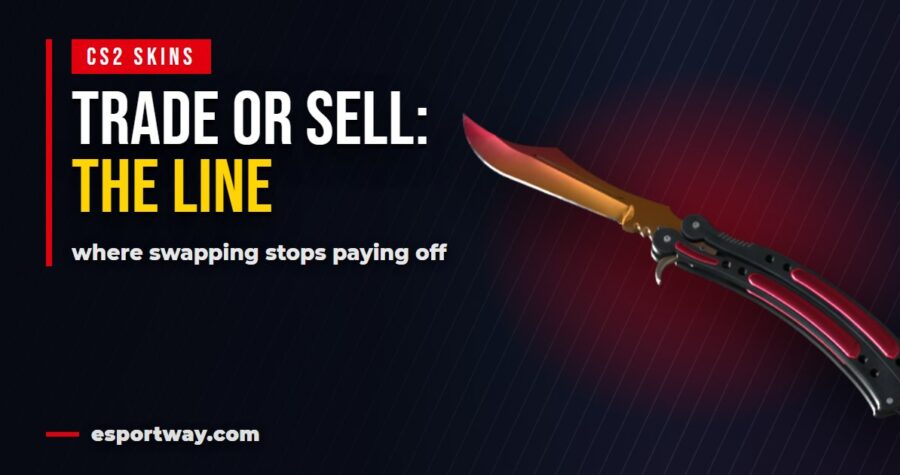
Trade or sell CS2 skins? The threshold where trading stops paying
Whether to trade or sell CS2 skins is usually presented as a matter of taste. It is not. There is a point where each route stops making sense, and once you can locate it, the decision takes ten seconds instead of an evening of reading opinions.
The one line that decides it
Ask what you want at the end. Not what you want to get rid of, what you want to end up holding.
If the answer is another item, trade. Every conversion into money and back out again costs you a spread in both directions. Skipping the round trip is free value.
If the answer is money, sell. Trading into something you intend to cash out anyway just adds a step, and often a seven day lock on top.
That covers most cases. The interesting part is what happens when the answer is unclear, which is where people lose the most.
What trading actually costs
The pitch for trading is that there are no marketplace fees, and on skin for skin swaps that can be literally true.
The cost is hidden in the valuation instead. A site values the item you hand over slightly below what it values the item you take, and that difference is the fee under another name.
It is usually smaller than a sale plus a repurchase, which is the whole point. Two conversions cost more than one swap in almost every scenario.
Bot trades are instant and priced by an algorithm. Peer to peer trades take longer and tend to price better, because a human on the other side wants the specific item rather than inventory in general.
What selling actually costs
Selling has the more visible price tag, which is why it feels worse even when it is the right call.
On the Steam market you lose the platform cut and gain funds you cannot withdraw. Through a cashout site you lose more and gain money that goes anywhere. We put a single item through every route in our guide to how much you lose selling CS2 skins.
The part people forget: selling is final in a useful way. Once the money is out, the item’s price can crash and it no longer concerns you. Traders stay exposed to the market whether they want to be or not.
The threshold where trading stops paying
Here is the arithmetic nobody puts on the page.
Every swap costs a small percentage. Do it once and it is noise. Do it four times chasing an upgrade and you have quietly paid a quarter of your inventory to sites that took no risk.
So the threshold is this: trading pays while the number of swaps stays low and each one moves you meaningfully closer to what you want. It stops paying the moment you are swapping sideways.
Sideways trading is the expensive habit. Trading an item for one of nearly identical value because it looks slightly better this week is the single most reliable way to shrink an inventory without ever making a bad decision on paper.
When to sell even if you wanted to trade
Three situations override the general rule.
- Demand for the item is fading. Selling while people still want it beats holding through the slide.
- The price spiked. Updates and tournaments push specific items up. That is the moment to lock value, not to swap it into something equally inflated.
- You need money on a deadline. Trading produces items, not rent.
The second one is the most commonly missed. When prices spike, everything spikes, so trading during a spike gets you an equally overpriced item and no gain at all.
When to trade even if you wanted to sell
And two situations that go the other way.
Your items are cheap. Low value skins get the worst offers from cashout sites and often fail to clear withdrawal minimums. Consolidating them through swaps or contracts first turns dead weight into something worth selling. The minimums are covered in our rundown of cashing out CS2 skins.
You are staying in the game anyway. If the plan is to spend the proceeds on another skin within the month, cashing out and buying back in costs two spreads and gains nothing.
Holding, the third option nobody counts
Trade and sell are not the only choices. Doing nothing is a position too, and for some items it is the strongest one.
Items from retired collections cannot be added to the supply any more, so the pool only shrinks as people open, lose or consume them. That is the one situation where waiting has a mechanism behind it rather than hope.
Everything else drifts with the game. Skins that drop every week, cases still in rotation and items tied to an active operation all have supply arriving constantly, and no amount of patience changes that arithmetic.
So holding makes sense for scarce items and almost nothing else. If you cannot say why supply would shrink, you are not holding, you are just postponing a decision.
Bot trades versus peer to peer
| Bot trade | Peer to peer | |
|---|---|---|
| speed | instant | hours to days |
| pricing | algorithmic, predictable | usually better |
| selection | whatever the site holds | whatever someone offers |
| effort | none | negotiation and waiting |
| risk | platform risk only | counterparty risk if unescrowed |
The honest split: bots for convenience and small trades, peer to peer when the item is expensive enough that a few percent is worth an afternoon of messaging.
The seven day tax on every trade
Whatever you decide, remember that every completed trade locks the item for a week. It cannot be traded again, sold or modified in that time.
This turns multi step plans into multi week plans. Trading up through three steps is not an evening’s work, it is most of a month, and the market moves while you wait.
It also means the order matters when both routes are in play. Sell first with what is free to move, then trade with what is left, never the other way around.
The mistake that looks like a strategy
There is one pattern worth naming, because it feels productive while it quietly costs the most.
It goes like this: sell a few items to fund an upgrade, use the balance to buy something slightly better, get bored a month later, sell that and repeat. Nothing in the chain is a bad decision on its own. Together they are four spreads and a month of locks.
The alternative costs nothing and is genuinely boring: decide what you actually want to own, get there in as few moves as possible, and stop. Inventories shrink through activity, not through bad luck.
If you enjoy the trading itself, that is a perfectly good reason to do it. Just price it honestly as entertainment rather than as a way to grow what you hold.
A decision you can make in ten seconds
- What do I want at the end, an item or money? That answers it most of the time.
- How many swaps would this take? More than two and the spread is eating the upgrade.
- Is anything locked? If yes, nothing is decided today anyway.
- Is the price unusually high right now? If yes, lean toward selling.
- Are my items cheap? If yes, consolidate before doing anything else.
Run those five questions and you will land on the right route more often than someone who spends an hour reading platform comparisons, because the platform matters far less than the direction.
What this looks like in practice
A player with thirty low tier drops and no interest in cash should be consolidating, not selling. Cashout sites price those items worst and the balance may never reach the minimum.
A player holding one expensive knife who wants a different expensive knife should be trading, once, ideally peer to peer.
A player who wants money for something outside the game should be selling, today, and ignoring every argument about how the item might appreciate. If that is you, the routes are laid out over in our notes on the free skin systems that produced most of that inventory in the first place.
Frequently asked questions about trading or selling CS2 skins
Is trading CS2 skins better than selling them?
It is better when you want to end up holding another item, because you avoid two conversions. It is worse when you want money.
Do trade sites charge fees?
Skin for skin swaps often advertise no fee. The cost sits in how the site values each side of the trade instead.
How many trades are too many?
More than two in a row toward the same goal. Each swap costs a spread, and sideways trades cost the most for the least.
When should I definitely sell?
When demand for the item is fading, when its price has spiked, or when you need money by a specific date.
Is peer to peer trading safe?
On platforms that hold the trade in escrow, yes. Private trades without a trusted middleman carry real risk.
Does the trade lock apply to both routes?
It applies after any trade. Selling to a site is also a trade, so the lock affects the timing of everything.
What should I do with very cheap skins?
Consolidate them with contracts or swaps. Selling them individually rarely clears withdrawal minimums.
Last updated: September 2026
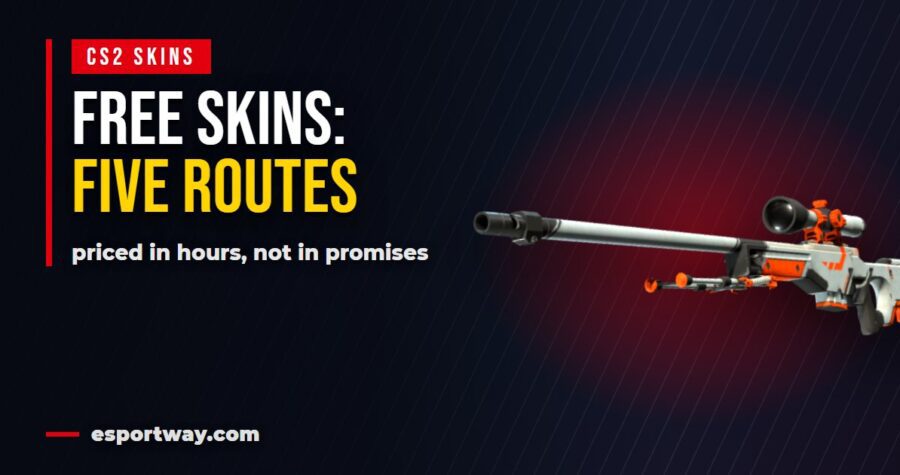
Free CS2 skins without a deposit: five routes and the hours each one costs
Getting free CS2 skins without a deposit is possible, and every guide says so. What they leave out is the exchange rate: how many hours of your life each route costs per dollar of skin. Here are the five that work, priced properly.
Route one: the weekly drop
Play on official servers, earn XP, and once a week the game offers you a set of rewards to pick from. No sign ups, no third parties, nothing to install.
This is the only route with a zero on the risk side of the ledger. You are already playing, the reward arrives inside the game, and nobody ever needs your account details.
The catch is the ceiling. Weekly drops are mostly low tier items, and a year of them will not build an inventory anyone envies. Think of it as background income rather than a plan.
Cost per dollar: effectively zero, because you would be playing anyway. That alone puts it above everything below.
Route two: giveaways
Real giveaways cost nothing to enter. You sign in with Steam, complete simple entry tasks such as joining a Discord server or checking in daily, and wait.
The rule that separates the real ones from the rest is simple: a giveaway never asks for a deposit, a payment method or a purchase. The moment any of those appear, it stopped being a giveaway.
Realistically, entries are lottery tickets. Some people win, most do not, and the time cost is small enough that it does not matter much either way.
What it costs you: nothing but a few clicks, because the outcome is random. Enter the free ones, expect nothing, be pleasantly surprised.
Route three: task and reward platforms
These pay you for surveys, app trials and similar offers, then let you convert the balance into items or gift cards.
The published rates give you a sense of scale: roughly a dollar for a survey taking five to ten minutes, and two to five dollars for downloading an app and playing it for ten minutes.
Read those numbers again and do the arithmetic. The surveys work out to something in the range of six to twelve dollars an hour on paper, and considerably less in practice, because you get screened out of surveys partway through and that time is unpaid.
App trials pay better per minute, but there is a limited supply of them, and the good ones disappear first. This is the same pattern as anywhere else in this category: the first hours pay best, the rest pay much worse.
What it costs you: real hours, and the rate falls as you go. Fine for turning dead time into an occasional skin. Not fine as a plan for a knife.
Route four: trade up contracts
Ten items of the same grade go in, one item of the next grade up comes out. It costs no money, only the items you already have.
This is the most useful thing you can do with the pile of cheap skins the weekly drops leave you with. Instead of thirty items worth pennies each, you end up with something that is at least worth listing.
It is not free money. The expected value of a contract is usually below the value of what you put in, which is why sites will happily buy your cheap skins. Use it to consolidate junk, not to grow an inventory.
What it costs you: only the items you were never going to sell, the cost is in items you were unlikely to sell anyway.
Route five: play to earn servers
Some community servers reward playtime with points that convert into items. You play the game you were going to play, on their servers instead of the official ones.
The trade off is that time spent there does not count toward your weekly drop, so you are choosing between two reward systems rather than stacking them.
Whether that is worth it depends entirely on the server. If you enjoy the game modes on offer, it is free value. If you are grinding a server you dislike for points, you have invented a job with terrible pay.
The five routes side by side
| Route | What it costs you | Realistic outcome |
|---|---|---|
| weekly drop | nothing extra | low tier items, slowly |
| giveaways | minutes, occasionally | usually nothing, sometimes a lot |
| task platforms | real hours | a few dollars at a time |
| trade up contracts | items you already have | fewer, better items |
| play to earn servers | your weekly drop progress | steady small rewards |
Only one row in that table has no downside at all, and it is the one you get for doing nothing different.
What the first month actually looks like
Numbers in isolation are easy to argue with, so here is a realistic month for someone playing a few evenings a week and using every free route available.
Four weekly drops. Mostly low tier skins and graffiti, occasionally a case. Combined value: a few dollars, sometimes less.
A handful of giveaway entries. Almost certainly nothing, and that is the expected result rather than bad luck.
Two or three hours on a task platform. Perhaps ten to fifteen dollars if the good offers were available that week, closer to five if they were not.
One trade up contract made from the junk collected along the way, turning ten near worthless items into one that is worth listing.
Total after a month: roughly the price of a cheap skin, plus whatever the contract produced. That is the honest picture, and it is why the phrase free skins sets expectations far higher than reality delivers.
How to tell a real offer from the rest
The tell is always the same, and it takes three seconds to check.
- A deposit is required first. Then it is not a free offer, whatever the page says.
- Your Steam password is requested. No legitimate site ever needs it. Login happens in Steam’s own window.
- The reward is enormous and the task is trivial. Nobody hands out a knife for following an account.
- There is pressure to act now. Countdown timers exist to stop you from thinking.
- Withdrawal terms are hidden. If you cannot find the minimum payout before starting, assume it is high.
Every one of these appears in the offers people later describe as scams, and every one of them is visible before you click anything.
What to do with what you collect
Free items arrive small and stay small unless you do something with them. Two options make sense.
Consolidate them. Trade up contracts turn a drawer full of junk into one item worth handling.
Sell the leftovers in one batch. Cheap items are exactly the category where cashout sites pay worst, so selling them one at a time wastes the effort. If you go that route, our breakdown of how much you lose selling CS2 skins shows what to expect, and the piece on cashing out covers the payout minimums that strand small balances.
What almost never works is holding hundreds of low tier items and hoping they appreciate. That happens to rare items from retired collections, not to the things that drop every week. Our older overview of free CS:GO skins covers the earlier versions of these same systems.
An honest summary
If you play CS2 regularly, collect your weekly drops, enter free giveaways when you happen to see them, and use contracts to tidy up. That combination costs you nothing and is the entire realistic answer.
If you do not play much, task platforms will pay you a few dollars for a few hours, exactly like they would for anything else. The fact that the reward is a skin does not change the hourly rate.
And if you want a specific expensive item, none of these routes gets you there. Buying it is faster, cheaper in real terms, and the only approach that does not involve months of grinding for something you could have had on a Tuesday. Our guide to buying skins covers where the spreads are smallest.
Frequently asked questions about free CS2 skins
Can you really get free CS2 skins without a deposit?
Yes. Weekly in game drops, legitimate giveaways, task platforms and trade up contracts all work without spending money.
Which method is actually worth the time?
The weekly drop, because it costs nothing beyond playing. Everything else has a real hourly cost.
Are giveaways legitimate?
Some are. The reliable test is that a real giveaway never asks for a deposit, payment details or a purchase.
How much do task platforms pay?
Published rates are around a dollar for a five to ten minute survey and a few dollars for an app trial. In practice the effective rate is lower.
Do trade up contracts make money?
Usually not. They are for consolidating cheap items into one usable item, not for growing value.
Why do sites ask for my trade URL?
Because that is all they need to send items. A request for your Steam password is always a red flag.
Can I get a knife for free?
Realistically no. Free routes produce low tier items, and reaching knife value that way takes longer than saving up for one.
Last updated: September 2026
Fastest way to cash out CS2 skins: what “instant” actually means
Every site promising you can cash out CS2 skins instantly is telling a partial truth. The transfer itself really is fast. What takes time is everything around it, and if you do not know which step is which, a normal delay looks like theft. Here is the whole chain, stage by stage.
The four stages between your skin and your bank
Cashing out is never one action. It is four, and only the last one is the part sites advertise.
| Stage | Typical time | What can hold it up |
|---|---|---|
| the trade offer | seconds to minutes | trade lock, wrong trade URL, mobile confirmation |
| site credits your balance | near instant | manual review on larger amounts |
| withdrawal request | minutes to a day | minimum thresholds, verification |
| money reaches you | instant to two days | the payment method itself |
Read that table again and notice something: three of the four stages are on your side of the fence. Most of the waiting people complain about is caused by things they can prepare in advance.
Stage one, and the reason most delays happen
The trade itself is quick, but only if the item is free to move. An item traded within the last seven days sits under Steam’s protection and cannot go anywhere.
Two more things stall this stage. A trade URL that has changed since you last used it, and a missing mobile authenticator, which turns an instant trade into a fifteen day hold on Steam’s side.
So before you start, confirm three things: the item is not locked, your trade URL is current, and Steam Guard on your phone has been active for more than a week. That covers almost every horror story you will read in reviews.
Stage two: getting credited
Once the bot has your item, the balance shows up almost immediately. This is the part that genuinely deserves the word instant.
The exception is size. Larger amounts often trigger a manual check, which is a company protecting itself against items obtained from compromised accounts. It is inconvenient and it is also the reason your own account gets protected when something goes wrong.
If your balance is held, the useful move is to contact support with the trade details rather than opening a second account and trying again. The second approach is what actually gets people locked out.
Stage three: requesting the withdrawal
Here is where the site’s own rules matter more than any technology.
Minimum thresholds. Almost every platform has one. If your balance sits below it, nothing moves, and no amount of waiting fixes that.
Verification. Small amounts usually go through with nothing more than an email. Larger ones can trigger identity checks, and that is a legal requirement for the payment provider, not an invented obstacle.
Method availability. Not every payout option is open in every country, and this is the single most common surprise for players outside the biggest markets.
All three are visible before you sell anything. Checking them first turns a frustrating evening into a routine transaction.
Stage four: the money actually moving
This part depends entirely on the rails, not on the skin site.
- Crypto is the fastest, usually minutes, and the least forgiving if you paste the wrong address.
- PayPal is close behind and the most convenient for small amounts.
- Bank transfer is same day inside the EU and typically one to two working days elsewhere.
- Gift cards and vouchers arrive instantly and are worth exactly what you can spend them on, which is less than cash.
Weekends matter here. A bank transfer requested on Friday evening is not slow because the site is dishonest, it is slow because banks are closed.
What a normal transaction looks like
It helps to see the whole thing written out once, because in practice it is short and boring, which is exactly what you want.
You open the site, log in through Steam’s own window, and paste your trade URL. You pick the items, see an offer, and accept it. A bot sends a trade offer, you confirm it on your phone, and the balance appears within a minute.
Then you open the withdrawal page, pick a method, enter the destination and submit. Depending on the method, the money is there in minutes or by the next working day.
Total hands on time: under ten minutes. Everything beyond that is either a rule you did not check or a payment network doing its normal job.
Worth repeating, because it is the one step people skip: you never type your Steam password into a marketplace. Login always happens in Steam’s own window, and the site only ever needs your trade URL.
What people mean when they say a site is slow
Reading complaints with the four stages in mind changes what they tell you. Most fall into three groups.
The item was locked. Nothing to do with the site. The clock had to run out first.
The balance was under the minimum. Also not about speed, but about a rule that was published in advance.
Verification was requested. Annoying, sometimes slow, but standard once amounts get serious.
What is left after removing those three is the genuinely useful signal: cases where the money left the balance and never arrived. That is the thing worth searching for in reviews, and it is far rarer than the noise suggests.
How to make your own cashout fast
- Check the item is free to move before anything else.
- Refresh your trade URL and paste it fresh rather than reusing an old one.
- Pick the payout method first, then check its minimum, then decide how much to sell.
- Sell enough to clear the threshold in one go instead of leaving small balances stranded.
- Avoid Friday evenings for bank transfers.
Done in that order, the whole thing takes minutes. Done in reverse, it takes a week and feels like a scam even though nothing went wrong.
One habit that saves the most time
Decide the payout method before you decide what to sell. It sounds backwards, and it is the single change that removes most of the waiting.
The method sets the minimum, the minimum sets how much you need to sell, and how much you sell decides whether the whole thing clears in one go or leaves a stranded balance you cannot withdraw. Doing it in the other order is how people end up with money they can see and cannot touch.
Speed versus what you keep
There is a trade off nobody puts in the headline: the fastest routes tend to pay the least.
Instant cashout sites give you money today and take the widest cut for it. The Steam market pays better and gives you funds you cannot withdraw. A private sale pays best of all and can take days to arrange, assuming you find a buyer you trust.
That means the honest answer to “what is the fastest way to cash out CS2 skins” is also the answer to “which way keeps the least”. We ran the arithmetic on a single item over in our piece on how much you lose selling CS2 skins.
If you are not in a hurry, that difference is worth more than the wait. If you are, at least you now know what you are paying for.
Before you pick a platform
Three things tell you more than any star rating.
Does the site publish its minimum and fees clearly? Hidden numbers usually mean bad numbers.
Does support answer before you deposit anything? Send one question and see. Response time now is response time later, when it matters.
Does the offer match the market? Get a quote for the same item on two sites. A single comparison teaches you more than an hour of reading reviews, and you will find the pattern again in our walkthrough of buying CS:GO skins, where the same spread works against you in the other direction.
Everything else, including the bonus offers that dominate landing pages, is secondary. A better base price beats a loud bonus almost every time, which is also true of the free item offers we covered in our guide to free skins.
Frequently asked questions about cashing out CS2 skins
What is the fastest way to cash out CS2 skins?
An instant cashout site paying to crypto or PayPal. The transfer itself takes minutes once your balance clears the minimum.
Why is my payout taking so long?
Usually one of three reasons: the item was trade locked, your balance is below the withdrawal minimum, or verification was requested on a larger amount.
Do I need identity verification?
Small amounts often go through without it. Larger ones can trigger checks required by the payment provider.
Is crypto really faster than PayPal?
Slightly, and it is also the least forgiving. A wrong address cannot be undone.
Can I cash out a trade locked skin?
No. The lock is enforced by Steam, so no platform can accept the item until it expires.
Why do sites ask for my trade URL and not my password?
Because the trade URL is all they need. Any site asking for your Steam password is not a marketplace.
Is a faster payout worth a lower price?
Only if you need the money now. Otherwise the slower routes keep noticeably more of the item’s value.
Last updated: September 2026
How much do you lose selling CS2 skins? One $100 knife, four exits
Every guide about selling CS2 skins lists fees. Almost none of them tell you what actually lands in your pocket, which is the only number that matters. So let us take one skin worth 100 dollars on the Steam market and push it through all four ways out of the game.
The four exits, ranked by what you keep
There are only four realistic ways to turn a skin into something else, and they are not interchangeable.
| Route | What you get | Where the money can go |
|---|---|---|
| Steam market | the highest headline price | Steam wallet only |
| trade site | other items of similar value | nowhere, it stays in items |
| instant cashout site | the lowest amount | bank, PayPal, crypto |
| private sale | close to market price | anywhere, if the buyer is real |
Notice the pattern. The more freedom the money has, the less of it there is. That single line explains almost every complaint you will read about skin sites.
Route one: the Steam market
You list the skin at 100 dollars. A buyer pays 100 dollars. You do not receive 100 dollars, because Valve takes a cut on every sale.
What lands is somewhere in the mid eighties, and it lands in your Steam wallet. You can buy games with it, you can buy other skins with it, and that is the end of the list. It never becomes rent money.
So this route is excellent if you are staying inside Steam anyway, and useless if you wanted cash. Most people asking about selling skins want cash, which is why they end up looking elsewhere.
Route two: trading it away
Trade sites swap your item for other items. There is no percentage taken in the obvious sense, but there is a spread: the site values what it gives you slightly below what it takes.
In practice you end up holding items worth roughly 85 to 95 percent of what you handed over, sometimes better if you are trading up into something the site wants to move.
This is the best route when you do not actually want money. If you are trying to turn five mid tier skins into one good knife, trading beats selling and rebuying every time, because you skip two rounds of fees.
Route three: instant cashout
Here is where the number people quote as unfair comes from. Cashout sites buy your skin outright and send money to your bank, PayPal or a crypto wallet.
Two things reduce the amount. First, their buy price sits below the Steam market price, because they need to resell it and carry the risk that the price drops. Second, there is a commission on top.
Realistically your 100 dollar skin turns into somewhere between 60 and 80 dollars, depending on the site and how popular the item is. Fast movers get better offers. Something nobody wants gets a worse one, or no offer at all.
That gap is the price of liquidity. You are paying for the fact that the money arrives today and can be spent anywhere.
Route four: selling it privately
Selling directly to another player gets you closest to market price, because no company sits in the middle taking a cut.
It also carries the only real risk of losing everything. A stranger who receives the item first and then disappears has cost you the whole 100 dollars, not 20 percent of it.
If you go this way, use a middleman both sides trust, never send first to an unknown account, and treat any pressure to hurry as a reason to stop. The people who lose skins this way almost always describe the same rushed conversation afterwards.
Where the trade lock fits in
One detail decides whether any of this is even available to you today: whether the item is locked.
After a trade, an item sits under Steam’s protection for seven days. During that window it cannot be traded, sold or modified. It still counts toward your inventory value, and it is worth exactly nothing in cash until the clock runs out.
This matters for planning more than people expect. If you consolidate items on Monday and need money on Tuesday, you have locked yourself out of your own inventory for a week.
So the order is always the same: check what is free to move first, sell that, and only trade with what is left over. Anything else turns available money into money you will have next week.
What actually decides your number
Two skins with the same market price can pay out very differently, and it comes down to four things.
- Liquidity. Popular skins sell fast, so sites bid closer to market price. Obscure ones sit in inventory and get lowballed.
- Float. A cleaner wear on the same skin can be worth several times more, and cashout sites do price that in.
- Stickers. Rare tournament stickers can be worth more than the gun. Automated pricing often ignores them entirely, so a manual sale pays better.
- Timing. Prices move after every major update. Selling in the week a new collection lands is rarely the best moment.
Where people first go looking
Most players do not start by selling. They start by trying to get items for free, decide it is slower than expected, and only then look at what their inventory is worth.
That path is worth knowing, because it explains the disappointment. Items collected slowly through drops and free offers are usually low value ones, and low value items are exactly the category cashout sites price worst. We went through the realistic options in our walkthrough of getting free CS:GO and CS2 skins.
The same goes in the other direction. If you are buying rather than selling, the spread works against you again, and that explains why our overview of where to buy CS:GO skins matters before you spend anything.
And if you are wondering which items are worth holding rather than moving, the in game storage systems have their own rules, covered in the piece about the CS2 terminal and what it unlocks.
The mistake that costs the most
It is not choosing the wrong site. It is trading before selling.
People often consolidate several cheap skins into one expensive item so the sale is simpler, then cash that item out. Every one of those steps carries a spread, and the item they end up selling also comes with a seven day trade lock.
If cash is the goal, sell what you already have. If a better knife is the goal, trade and stop there. Mixing the two costs you twice.
A quick way to compare offers
Before you accept anything, spend five minutes on this. It is more useful than any review you will read, including this one.
- Pick three items from your inventory: one popular, one mid tier, one obscure.
- Get an offer for all three on two different cashout sites.
- Write down the percentage of the Steam price each one offers.
- Compare the obscure item in particular. That is where sites differ most.
- Check the payout method and minimum before you commit, not after.
You will usually find that the site with the loudest bonus offer is not the one with the best base price, and the difference is bigger than the bonus.
When selling is the wrong move entirely
When you still play with the skin. The money is small and the thing you are giving up is something you look at every round.
When you are selling to fund one purchase. Two conversions in a row, each with a spread, and you end up with less than you started.
When the item is trade locked. Nothing to decide yet, the clock has to run out first.
When prices just dropped. Unless you need the money now, waiting out a slump costs nothing but patience.
Frequently asked questions about selling CS2 skins
How much do you actually lose selling CS2 skins?
On the Steam market you lose the platform cut and the money stays in your wallet. Cashing out to real money typically returns 60 to 80 percent of the market price.
Why do cashout sites offer so much less?
They buy the item outright, carry the risk that its price falls before they resell it, and add a commission on top.
Is trading better than selling?
If you want other items, yes. Trading avoids two rounds of fees compared to selling and buying again.
Which skins pay out closest to market price?
Popular, liquid ones. Obscure items sit in inventory longer, so sites bid lower on them.
Is a private sale worth the risk?
It pays best and it is the only route where you can lose the entire item. Use a trusted middleman or skip it.
Do stickers increase what I get?
Sometimes, but automated pricing often ignores them. If your skin carries rare stickers, get a manual quote.
When is the worst time to sell?
Right after a major update that introduces a new collection, because older items usually dip for a while.
Last updated: September 2026