
Simpay.pl – why is it a good solution for e-commerce entrepreneurs?
In the digital market, the most important aspects are speed, convenience, and transaction security. Sometimes, users of certain websites are reluctant to create special accounts or fill out complicated forms. They want to click, pay, and get access. This is where Simpay.pl stands out as a solution that combines these three elements, offering entrepreneurs and creators tools to support a variety of payment methods, from Premium SMS, BLIK payments, and transfers, to Direct Billing and payment cards.
What is simpay.pl?
Simpay.pl is an online payment platform for online stores, digital services, and service providers who want to make it easier for customers to pay for goods or services. Every day, the system handles thousands of transactions and offers businesses solutions tailored to different sales models.

Various payment methods offered by Simpay
One of the biggest advantages of Simpay.pl is that it does not limit you to a single payment method. In practice, this means that users can tailor the payment method to their customers – and not the other way around. Everyone pays in the way that is most convenient for them. The available payment methods are:
Direct Billing
Here, the fee goes directly to the phone bill or is deducted from a prepaid account. This solution works well for subscriptions and content access. It is best used when the user mainly uses their phone.Premium SMS payments
This option still works well for digital content and micropayments. The customer sends an SMS, receives a code, and has access to the product in a few seconds. No card details, no bank login. Simple and fast.BLIK and quick transfers
The standard in Polish e-commerce. This payment method is now widely known and available at every bank. Entering a BLIK code or quickly approving a transfer in a banking app is now the most natural form of payment for many people. The transaction takes a moment and is confirmed immediately.Payment cards and PaySafeCard
A classic that still has a strong position. Cards are universal and recognizable, and PaySafeCard allows you to pay without revealing your bank details.Integrating your business with Simpay is incredibly easy!
The process of starting cooperation with Simpay.pl is described step by step on the website:
Account registration – the entrepreneur creates an account in the system and activates it by paying a symbolic refundable fee (PLN 1).
Integration with the store system – after activation, you add your store to the platform and use technical documentation, plugins, or API to connect the selected payment methods.
Active payment acceptance – funds from sales go directly to the seller’s account, and the system automates transaction processing.
Support for many popular e-commerce platforms (including WooCommerce, PrestaShop, and Magento) facilitates quick implementation of the system even without advanced technical knowledge.
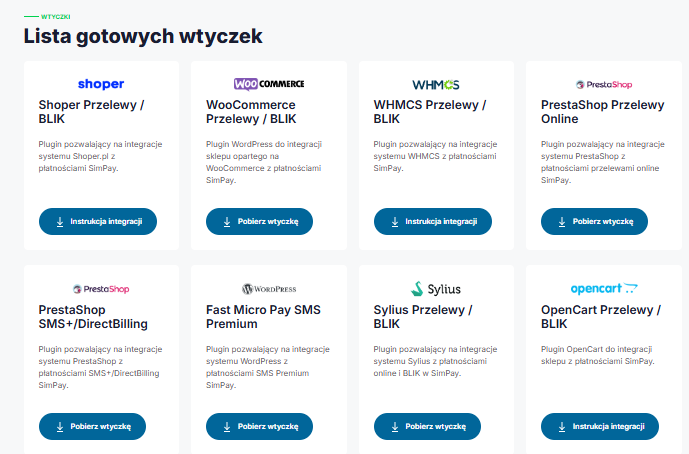
The website offers a list of ready-made plugins.
If you run an online store or create sales platforms and want your payments to work smoothly from day one, Simpay.pl has a specific solution for you. You don’t have to start programming everything from scratch – Simpay provides ready-made plugins and modules that allow you to instantly connect various payment methods to popular e-commerce systems such as WooCommerce, PrestaShop, OpenCart, WHMCS, and Shoper. This means that even if your store is not yet a “technological powerhouse,” you can offer your customers online transfers, BLIK payments, Premium SMS, or Direct Billing almost immediately. And if you use your own solution or want to integrate the system more deeply, Simpay gives you access to API documentation and libraries in multiple programming languages, making it easy to tailor payments exactly to your needs. The implementation process itself is simple and flexible.
Why should you use Simpay?
• Wide range of payment methods – includes both modern solutions such as BLIK and bank transfers, as well as traditional forms of payment.
• Technical security – connections encrypted with a 256-bit key ensure data and transaction protection.
• Intuitive customer panel – the dashboard allows you to track your transaction history and easily manage your payments.
• Local character – Simpay is a Polish company, and its support team also communicates in Polish.
StreamPay.pl – a simple way for creators to monetize their content
More and more streamers confirm that donations from viewers can constitute a large part of their monthly income, especially if the channel does not yet have thousands of subscribers or sponsors. According to data from streamer market analyses, even small channels can generate from several dozen to several hundred dollars a month from viewer donations and bits alone — while traditional advertising revenue often does not exceed several dozen dollars for a similar number of viewers.
What is StreamPay.pl?
StreamPay.pl is a platform that allows creators to accept payments from viewers in the form of donations. The solution was designed for streamers, YouTubers, and people building a community around their content. The system allows you to easily generate your own payment link, which can be placed under the broadcast, in the video description, or on social media.
Who will StreamPay be a good solution for?
The platform will work particularly well for:
gaming streamers,
YouTube and Kick creators,
influencers building a community,
people who do not yet have monetization from advertising,
creators who want to become independent from algorithms.
If your community is engaged, even small, regular donations can become a stable source of income.How does Stream Pay work?
The website is very simple and intuitive to use:
You register an account.
You configure your profile and payment settings.
You receive a personalized donation link.
You add it to your stream or bio.
You receive payments from viewers.
Additionally, you can integrate the system with OBS or other streaming software so that payment notifications appear directly on the stream.The website offers a proprietary preview panel
One of the practical elements of the platform is a proprietary preview panel that allows creators to control all the most important information about payments in one place. From the dashboard, you can check your transaction history, current balance, support statistics, and viewer activity on an ongoing basis. The panel has been designed to be clear and intuitive, without being overloaded with unnecessary features. This allows even novice streamers to quickly find their way around the system and focus on creating content instead of analyzing complex reports. It is a tool that makes monetization management easier and gives you full control over the flow of funds.
Competitive commissions
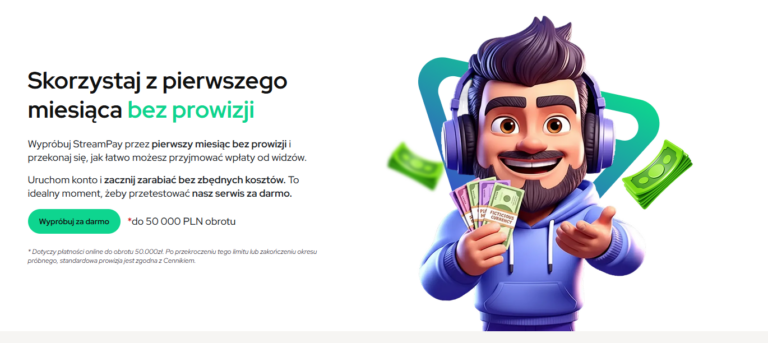
Depending on the payment method selected, StreamPay commissions vary slightly: most options, such as BLIK, online transfer, or “Pay later,” offer a 97.11% commission for the user with a minimum fee of PLN 0.1, while PaysafeCard provides an 84% commission with a minimum amount of PLN 0.15. The most advantageous in terms of commission are SMS+ and PayPal, which offer a full 100% commission with no minimum fees, while Skrill and Kinguin pay 92% and 88% commission, respectively, with Skrill requiring a minimum fee of PLN 10. The entire list shows transparent rules for calculating remuneration, allowing you to choose the most profitable payment method.


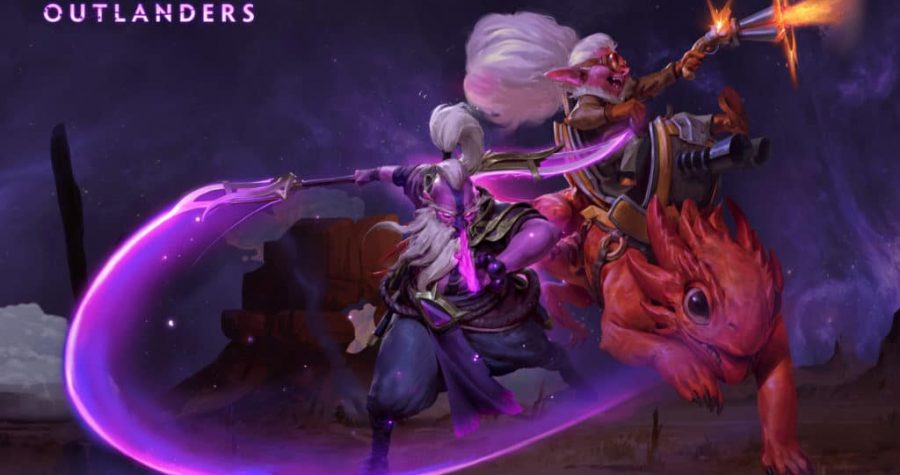
BTS Pro Series Dota 2 welcomes RuHub as broadcast partner
BTS Pro Series Dota 2 welcomes RuHub as broadcast partner
RuHub studio becomes a broadcast partner of the BTS Pro Series Dota 2 online tournament. The Russian live stream of BTS Pro Series: Americas and BTS Pro Series: Southeast Asia will take place from 10 through 26 April on RuHub chanell twitch.tv/dota2ruhub channel.
Previously, Beyond the Summit studio announced the BTS Pro Series event in Dota 2. The series will be divided into two subdivisions: the Americas and Southeast Asia with the combined prize pool of $100 000. 8 teams from each region will battle for $50 000 and playoff slots, among them are Evil Geniuses, Cloud9, beastcoast, Fnatic, TNC Predator, Reality Rift, and others. The event’s group stage will be played in a round-robin best-of-3 format with two lowest-performing teams eliminated from the series. The best teams will advance to the grand final taking place on 26th April in a best-of-5 format.
__
RuHub is a key esports media content producer and the largest Russian-based esports studio in the world. RuHub studio is a member of ESforce holding.

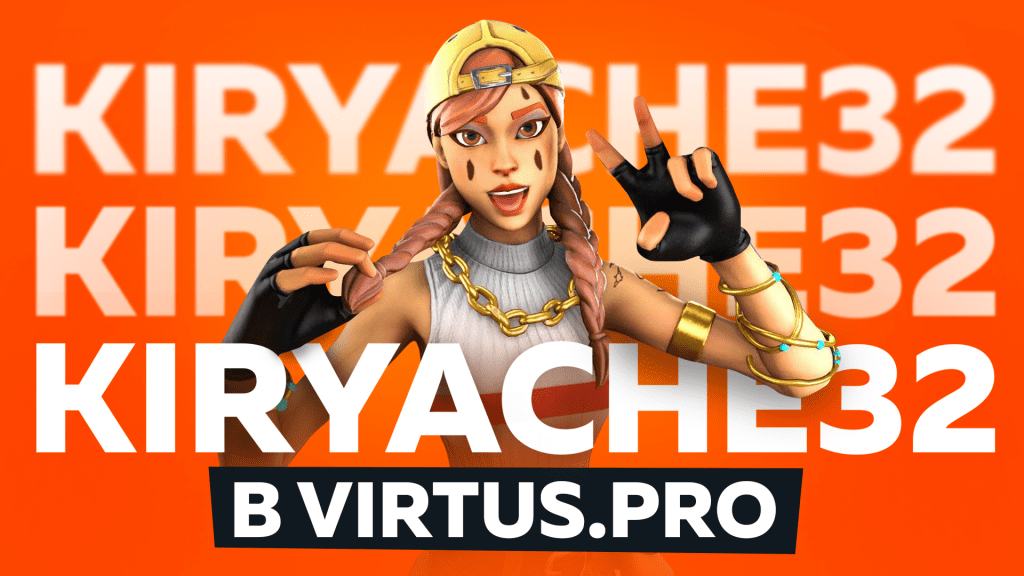
Kiryache32 joins Virtus.pro!
irill “Kiryache32” Grishin joins Virtus.pro Fortnite roster. He’ll compete alongside Jamal “Jamside” Saydaev and Dmitry “Siberiajkee” Voronin.
The 15-year-old prodigy has claimed more than $69 000 in winnings since Fall 2019. Kirill’s channel on Twitch streaming platform regularly gathers thousands of concurrent viewers.
Sergey Glamazda, Virtus.pro General Manager: “We’re excited to welcome Kiryache32 in the Bear family! Our club continues the campaign of exploring young talents of the esports scene. Despite his very young age, Kirill has already demonstrated impressive results in competitions as well as live streams. I’m sure that our current roster has what it takes to fulfill our goal to advance to the worldwide top-20 – and to take it even further!”.
Kirill “Kiryache32” Grishin: “I’m excited to join the ranks of Virtus.pro. I’ll try to show my very best. Please root for us! Tune in for my, Jamside’s and Siberiajkee’s streams!”.
Duos Fortnite Champion Series will take place on 17-19 April and will become Kiryache32’s first series under the Virtus.pro tag. The winner’s duo will take home $70 000.

Virtus.pro launched second Dota 2 roster — VP.Prodigy
Vitaly “Save-” Melnik, Egor “epileptick1d” Grigorenko, two current members of Virtus.pro with Major experience, were joined by Dmitry “DM” Dorokhin, Albert “Yume” Garaev as the latter signed long-term contracts with Virtus.pro. Rostislav “FN” Lozovoy will play as a stand-in.
Sergey Glamazda, Virtus.pro General Manager: “The thought of the second lineup came to us back in January, however, only after the Leipzig series had it become more than just an inkling. The idea is fairly simple: the second lineup allows young players to attain professional scene experience and knowledge without the enormous pressure of instant result expectation. The club has acquired players that might join the main roster later – or even replace it completely in the long run.
Choosing the right name was a bit of an adventure for us. From the proven classics like “Young” and “Junior” to some community-related memes, but we have chosen “VP.Prodigy” in the end. Of course, the famous band instantly comes to mind, but we were going for the word’s original meaning in this case: “a young talented person”. I think this name reflects the roster’s nature to the fullest. At the moment, the guys are facing the main goal of attaining the level of play that would allow them to compete to advance to a Major-status series through open or closed qualifiers in 2019/2020 season, or through the league system in 2020/2021 season.”
The new Virtus.pro roster is to debut in StayHome Challenge that will take place from 1st through 12th of April. The team will face B8 on April 2nd at 18:30, Moscow time.

RuHub becomes partner of #HomeSweetHome CS:GO tournament series
Ruhub, a broadcasting and analytics studio, becomes an official partner of #HomeSweetHome tournament series and will organise RU broadcasts. The organizers also announced a new start date in order to avoid overlapping matches with the current ESL Pro League. 16 teams will take part in the tournament. Virtus.pro and BIG were just announced as the fourth and fifth teams of the competition, joining GODSENT, North, and forZe.
RuHub will broadcast the tournament on its Twitch channel: https://www.twitch.tv/csruhub. The precise broadcast timing will be announced later.
Anton Oleinik, RuHub CEO:
“We are happy to announce our partnership with the #HomeSweetHome tournament series. Now we face a difficult challenge: to hold as many interesting events as possible in an online format and try to fill in the gaps from the cancellation of events as much as possible. Take care of your health, take care of your family, and watch the games of your favorite teams from home — this will be the best support for the esports industry.”
Esports data provider GRID and event producer Relog Media have announced the launch of series of #HomeSweetHome tournaments. The event series has a $320,000 prize pool and will take place over eight-weeks, commencing with its opening tournament on April 7. Organizers hope to fill the gaps in the programming schedule caused by the COVID-19 coronavirus pandemic left by a series of event cancellations around the world.
#HomeSweetHome will consist of eight standalone tournaments with 16 teams, with a double-elimination group stage leading to the single-elimination playoffs. The winner of each tournament will earn $30,000, while the runner-up will pocket $10,000. Organizers added that there are plans to host one final tournament with the winning sides of all eight weekly competitions with a separate prize pool, with more information expected to be announced in the coming weeks.
***
RuHub is a key esports media content producer and the largest Russian-based esports studio in the world. RuHub studio is a member of ESforce holding.
ESforce Holding is one of the biggest esports organizations in the world and the leader of the Russian esports. The holding encapsulates all esports business sectors: from organizing international tournaments and creating professional content to publishing and advertising.
ESforce holding’s actives include:
- Virtus.pro, the most renowned and popular esports club of Russia;
- RuHub Studio, leading Russian-speaking esports broadcasting studio;
- Cybersport.ru, main esports website of CIS;
- EPICENTER, the largest esports tournament series in CIS;
- Yota Arena, esports-entertainment complex.
ESforce’s resources cover more than 90% of Russia’s and CIS’ esports viewers as well as a significant portion of the international audience. A creative agency – a member of the holding – ensures the synergy of the holding’s actives with the clients and partners in mind.
ESforce Holding was founded in 2015. In 2018, the holding became a member of a leading Internet and IT-company of Russia – Mail.Ru Group.
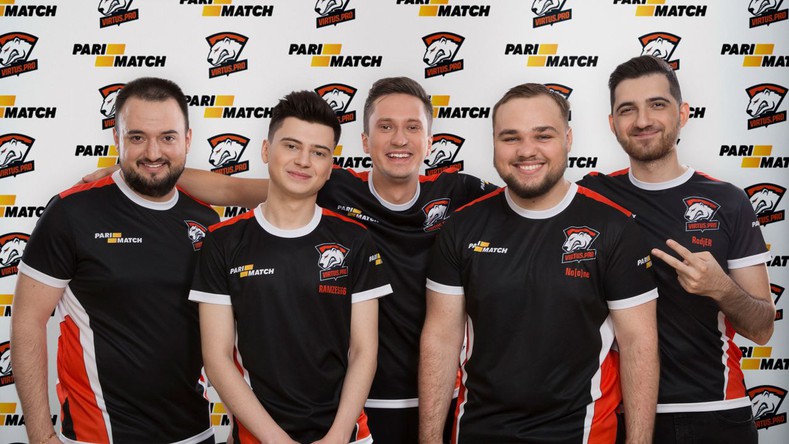
HyperX becomes the official partner of Virtus.pro
HyperX becomes the official partner of Virtus.pro
A manufacturer of memory storage devices and computer peripherals HyperX becomes the official partner of Virtus.pro. The beginning of this partnership will be followed by a campaign of special events, gifts giveaways for the fans, and reviews of brand-new gaming gadgets featuring esport’s club players.
Oleg Bulavko, HyperX CIS Head of Esport:
“HyperX has always supported the best esports talents and clubs. The healthy development of international esports is crucial for us. Virtus.pro is one of the few esports clubs known and respected from Vladivostok to New York. The Bears’ victories inspire hundreds of thousands all over the world.
March 2020 marks the beginning of our partnership. We wish the players, the management and the fans to conquer new heights in the upcoming season, including, of course, all the World Championships. Welcome to #HyperXFamily!”.
Sergey Glamazda, Virtus.pro General Manager:
“HyperX is one of the indisputable leaders on the market of gaming accessories appraised by esports athletes all over the world. We’re excited to see our plans together become reality. Our fans – expect tons of interesting events and new content!”.
The next big tournaments for Virtus.pro in March will be Apex Legends Major 1 in Texas and Dota 2 ESL One Los Angeles Major in California
__
HyperX is a subsidiary of Kingston Technology, a leader on the market of memory storage devices.
In 2002, HyperX launched its first product line of high-performance memory modules. Now, the brand is synonymous with high-quality gaming accessories from memory devices, solid-state and flash drives to gaming keyboards, headsets, gaming mice and mouse pads.
The high-quality materials used in precision manufacturing set HyperX apart from its competitors. Great performance, modern design, and reliability make HyperX devices the first choice of esports athletes, overclockers and technical experts whose professional livelihood is linked to the devices they use.
ESforce Holding is one of the biggest esports organizations in the world and the leader of the Russian esports. The holding encapsulates all esports business sectors: from organizing international tournaments and creating professional content to publishing and advertising.
ESforce holding’s actives include:
The most decorated and popular esports club of Russia – Virtus.pro;
The leading Russian-speaking esports streaming studio – RuHub;
Main esports portal of CIS – Cybersport.ru;
The largest esports tournament series in CIS – EPICENTER;
Esports-entertainment venue – Yota Arena.
ESforce’s resources cover more than 90% of Russia’s and CIS’ esports viewers as well as a significant portion of the international audience. A creative agency – a member of the holding – ensures the synergy of the holding’s actives with the clients and partners in mind.
ESforce Holding was founded in 2015. In 2018, the holding became a member of a leading Internet and IT-company of Russia – Mail.Ru Group.

Citilink and Intel become partners of EPICENTER CS:GO esports tournament
Citilink and Intel become partners of EPICENTER CS:GO esports tournament
Electronics discounter Citilink and Intel have become partners of an international esports tournament EPICENTER in Counter-Strike: Global Offensive hosted in Moscow. The tournament’s grand final will take place in Crocus Expo second exhibition hall through 21 — 22 December. The tournament’s prize pool is $500 000.
8 teams from Europe, CIS, and China will battle in the GSL bo3 format group stage: Virtus.pro (Russia), Natus Vincere (Ukraine), Evil Geniuses (USA), Team Vitality (France), mousesports (Germany), Heroic (Denmark), EHOME (China), forZe (Russia).
Aleksey Tsidilin, Head of Citilink esports academy project:
«Counter-Strike is one of the iconic esports disciplines. With its monthly audience of around half a million unique players, the FPS has even started to overtake Dota 2 in the peak player activity. We closely monitor the development of esports in the country. Therefore, we strive to support any projects related to this actively growing community as well as supplying esports athletes with all the required cutting-edge hardware. We hope to see the event bring its participants and viewers only the positive emotions, and, of course, victory to the strongest».
Sergey Barkhudaryan, ESforce Holding Commercial Director:
«Since esports is one of the drivers of innovative solutions in computer hardware and electronics, we are happy to welcome Citilink and Intel as the partners of EPICENTER series. We are sure this partnership will be fruitful and beneficial for all of us».
Intel Russia press office representative:
«Nowadays esports broadcasts attract more than 2 billion viewers worldwide – and this number keeps only growing. Intel has been backing esports for more than 15 years by supporting various gaming leagues and tournaments together with partners. Its innovations broaden gaming horizons: from high-performance Intel® Core™ CPUs and Intel® Optane™ SSDs to cloud technologies, 5G networks, AI and much more».
EPICENTER CS:GO 2019 Tickets and passes are available for purchase on the event’s official page, starting from 900 Rub. Three pass tiers are available: Global Elite, Global Nova, and Legendary Eagle. Users of VK Pay app receive a 10% discount.

Epic Esports Events organizes Epic Staff Battle charity event for esports clubs’ staff
Epic Esports Events organizes Epic Staff Battle charity event for esports clubs’ staff
Epic Esports Events company announces Epic Staff Battle, a charity event scheduled for 27 May, 2020. Teams comprised of esports club staff will compete in Dota 2 and CS:GO as part of the series. RuHub Studio will provide the live coverage of the event.
Epic Staff Battle will turn the CIS-community spotlight on the ones who usually operate in the background: from media managers, designers, editors to coaches, team managers and journalists – in short, the people who ensure smooth operation of the esports scene day after day.
Staff-teams hailing from 12 of the best CIS esports clubs have already confirmed their participation:
- Natus Vincere
- Virtus.pro
- Gambit Esports
- Team Spirit
- forZe
- Espada
- Winstrike
- HellRaisers
- Team Empire
- Nemiga
- Avangar
- EXTREMUM
Epic Staff Battle rules allow the professional CS:GO players to participate in the Dota 2 show-matches — and vice versa. Ex-pros and coaching staff are also allowed to take part. Thanks to this ruleset, the viewers will get a rare chance to see the star players like NAVI’s Alexandr “s1mple” Kostylev and Kirill “Boombl4” Mikhailov, forZe’s coach Sergey “lmbt” Bezhanov and NAVI’s journalist Yana “b2ru” Khimchenko battle it out on Dota 2’s field of fray. The full list of participants will be revealed shortly before the competition start.
The event’s base prize pool is $5000. The funds will be directed towards the charity organization of the winner’s choosing. Epic Staff Battle prize pool can be increased via donations by commercial companies that would like to have their staff and/or affiliated streamers to participate in the show-matches. Besides the exposure via team naming and organizator’s media support, the companies will be able to run their advertising during their team’s games.
CSGO Update 12.05.2020 – Weapon raising has been fixed
Another CSGO update! This time Valve decided to take up the mistake of raising arms when grenades were nearby. The method of dazzling hostages has also changed and a new command has been added to the servers. In addition, several minor bugs were also fixed.
[GAMEPLAY]
– Improved reliability of picking up weapons with +use when nearby dropped grenades are present. (Thanks birkir!)
– Explosive grenade damage around small obstacles such as stairs will now apply damage to players more reliably.
– Hostages will no longer obscure flashbang traces, allowing players behind them to be blinded.
– Players that start the round with a taser and no pistol no longer have their taser deleted, and rechargeable tasers are now recharged at round start.
– Fixed Danger Zone piloted drone self-destruct timer resetting due to zone damage or repeated player input.
[PURE SERVERS]
– Added a setting sv_pure_allow_loose_file_loads for game servers to control whether third-party files can be loaded by clients. Users are allowed to have third-party files on disk, but the files will be ignored when playing on such pure game servers. If users already loaded third-party files into game memory, then their game client must be restarted in order to connect to such pure game servers.
– Added a setting sv_pure_allow_missing_files for game servers to control what happens to clients that load files missing on the game server. When disabled, if a connected player loaded third-party files into game memory that game server is missing, the player will be kicked.
– Added a message explaining to the client which file mismatched the pure server configuration and caused a user disconnect.
[MISC]
– Improved loadout animations in buy menu for several agents and weapon combinations.
– Fixed certain game instructor hints displaying incorrect key bindings in certain languages (e.g. “sfrutteranno” in Italian).
– Added a setting con_allownotify to allow hiding top-right corner notifications if “Overflowed CClientRenderablesList” notification appears in 21:9 resolutions.

How To Rank Up In CSGO?
Are you bored of playing in low rank? Do you finally want to leave silver and gold and get the coveted Global Elite? How does the rank system work? What do you need to do to reach a higher rank in CSGO?
All ranks in CSGO
If we want to advance to a higher rank, it is worth getting to know all their types! Here is a list of all current ranks in CSGO tournament mode:
CSGO rank list

The first rank means that our rank has expired due to the lack of playing in tournament matches, for it to return it is enough if we win or draw the match in this mode. The second is the total lack of rank, displayed in the event that we have not yet won 10 tournament matches. Other ranks are standard: From Silver 1 to Global Elite.
How to rank up in CSGO?
Training and warm-up
It is worth to warm up before starting the game. Pro players warm up and train for hours before the match, so why not include it in your schedule? We can train on special aim maps, death matches or on community servers. There are plenty of options, but if you have little time it is worth at least to fire a 10-minute death match and warm up using basic weapons.
Play as a team
Playing with friends who have similar or higher ranks is much easier to win the match. It’s about communication. The problem of randomly selected players in a tournament match is the lack of information about the opponent’s position. Playing “five” is easier to provide info or to devise a tactic for entering BS.
Get more MVP
It is not entirely clear if this theory is one hundred percent effective, but it is very likely. It’s about getting more so-called stars. We can get them for planting and exploding the bomb, disarming it or killing most of the opponents. It’s easiest to plant bombs, of course. Apparently, a large amount of MVP gives more “ELO” points so we can advance faster.
Learn maps
It’s difficult to reach a higher level knowing only one map. Expand your knowledge of other maps, play bot matches on them, simplified, learn the positions on these maps to give correct info to players from your team. Also learn at least basic grenades so that your opponents are surprised by them.
Watch Pro players matches
Pro players often playing at large tournaments use unique games and ways of throwing grants and arranging themselves for BSs. Such plays are easy to uncheck by listening to commentators and analyzing the plays of individual teams. An interesting source of information are players’ POVs or matches with the team’s teamspeak instead of the commentator. They can be found on YouTube.
Commands and settings
You should also learn about custom commands and settings that can improve our game, increase FPS in CSGO, and help with throwing grenades. These guides can be found on our website in the category CSGO -> Guides.
Summary
Train, watch and, above all, think! Nothing will come for free, and pro players played and trained for hours before entering the highest level. Just don’t give up and play better and better!
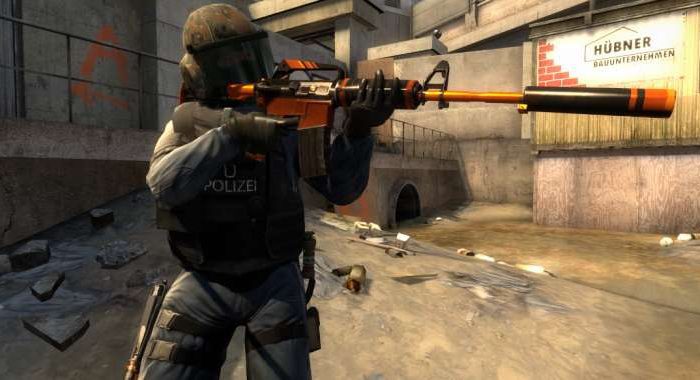
How to Show FPS in CSGO
The game has started to stutter and lag, and you don’t even know how many FPS you have? In this short guide you will learn how to check the number of FPS in CS: GO and what is the fps command in csgo! Many beginners don’t know how to do it, and it’s quite easy!
CS GO show fps
There are two easy ways to check your frames per second in Counter-Strike: Global Offensive:
- Command in the console with the table
This is the first and also the easiest way to check the number of frames per second in the game – just enable access to the console in the settings.
And then click the tilde button ~ (Button on the keyboard above TAB and under ESC) and enter the command:
net_graph 1

To turn off the FPS count counter, just open the console again and enter the command:
net_graph 0
The table displayed in addition to the amount of fps also displays a lot of useful information such as var, loss, choke, server tick, sv, and internet ping.
There is also a command that displays only the amount of fps – cl_showfps 1 if we want to enable the amount of fps and cl_showfps 0 if we want to disable. FPS in this command is shown in the upper left corner and has the advantage that it does not bother us during the game, but displays information only about frames per second:

Epic Esports Events organizes Epic Staff Battle charity event for esports clubs’ staff
Epic Esports Events organizes Epic Staff Battle charity event for esports clubs’ staff
Epic Esports Events company announces Epic Staff Battle, a charity event scheduled for 27 May, 2020. Teams comprised of esports club staff will compete in Dota 2 and CS:GO as part of the series. RuHub Studio will provide the live coverage of the event.
Epic Staff Battle will turn the CIS-community spotlight on the ones who usually operate in the background: from media managers, designers, editors to coaches, team managers and journalists – in short, the people who ensure smooth operation of the esports scene day after day.
Staff-teams hailing from 12 of the best CIS esports clubs have already confirmed their participation:
- Natus Vincere
- Virtus.pro
- Gambit Esports
- Team Spirit
- forZe
- Espada
- Winstrike
- HellRaisers
- Team Empire
- Nemiga
- Avangar
- EXTREMUM
Epic Staff Battle rules allow the professional CS:GO players to participate in the Dota 2 show-matches — and vice versa. Ex-pros and coaching staff are also allowed to take part. Thanks to this ruleset, the viewers will get a rare chance to see the star players like NAVI’s Alexandr “s1mple” Kostylev and Kirill “Boombl4” Mikhailov, forZe’s coach Sergey “lmbt” Bezhanov and NAVI’s journalist Yana “b2ru” Khimchenko battle it out on Dota 2’s field of fray. The full list of participants will be revealed shortly before the competition start.
The event’s base prize pool is $5000. The funds will be directed towards the charity organization of the winner’s choosing. Epic Staff Battle prize pool can be increased via donations by commercial companies that would like to have their staff and/or affiliated streamers to participate in the show-matches. Besides the exposure via team naming and organizator’s media support, the companies will be able to run their advertising during their team’s games.
CSGO Update 12.05.2020 – Weapon raising has been fixed
Another CSGO update! This time Valve decided to take up the mistake of raising arms when grenades were nearby. The method of dazzling hostages has also changed and a new command has been added to the servers. In addition, several minor bugs were also fixed.
[GAMEPLAY]
– Improved reliability of picking up weapons with +use when nearby dropped grenades are present. (Thanks birkir!)
– Explosive grenade damage around small obstacles such as stairs will now apply damage to players more reliably.
– Hostages will no longer obscure flashbang traces, allowing players behind them to be blinded.
– Players that start the round with a taser and no pistol no longer have their taser deleted, and rechargeable tasers are now recharged at round start.
– Fixed Danger Zone piloted drone self-destruct timer resetting due to zone damage or repeated player input.
[PURE SERVERS]
– Added a setting sv_pure_allow_loose_file_loads for game servers to control whether third-party files can be loaded by clients. Users are allowed to have third-party files on disk, but the files will be ignored when playing on such pure game servers. If users already loaded third-party files into game memory, then their game client must be restarted in order to connect to such pure game servers.
– Added a setting sv_pure_allow_missing_files for game servers to control what happens to clients that load files missing on the game server. When disabled, if a connected player loaded third-party files into game memory that game server is missing, the player will be kicked.
– Added a message explaining to the client which file mismatched the pure server configuration and caused a user disconnect.
[MISC]
– Improved loadout animations in buy menu for several agents and weapon combinations.
– Fixed certain game instructor hints displaying incorrect key bindings in certain languages (e.g. “sfrutteranno” in Italian).
– Added a setting con_allownotify to allow hiding top-right corner notifications if “Overflowed CClientRenderablesList” notification appears in 21:9 resolutions.
How To Rank Up In CSGO?
Are you bored of playing in low rank? Do you finally want to leave silver and gold and get the coveted Global Elite? How does the rank system work? What do you need to do to reach a higher rank in CSGO?
All ranks in CSGO
If we want to advance to a higher rank, it is worth getting to know all their types! Here is a list of all current ranks in CSGO tournament mode:
CSGO rank list
The first rank means that our rank has expired due to the lack of playing in tournament matches, for it to return it is enough if we win or draw the match in this mode. The second is the total lack of rank, displayed in the event that we have not yet won 10 tournament matches. Other ranks are standard: From Silver 1 to Global Elite.
How to rank up in CSGO?
Training and warm-up
It is worth to warm up before starting the game. Pro players warm up and train for hours before the match, so why not include it in your schedule? We can train on special aim maps, death matches or on community servers. There are plenty of options, but if you have little time it is worth at least to fire a 10-minute death match and warm up using basic weapons.
Play as a team
Playing with friends who have similar or higher ranks is much easier to win the match. It’s about communication. The problem of randomly selected players in a tournament match is the lack of information about the opponent’s position. Playing “five” is easier to provide info or to devise a tactic for entering BS.
Get more MVP
It is not entirely clear if this theory is one hundred percent effective, but it is very likely. It’s about getting more so-called stars. We can get them for planting and exploding the bomb, disarming it or killing most of the opponents. It’s easiest to plant bombs, of course. Apparently, a large amount of MVP gives more “ELO” points so we can advance faster.
Learn maps
It’s difficult to reach a higher level knowing only one map. Expand your knowledge of other maps, play bot matches on them, simplified, learn the positions on these maps to give correct info to players from your team. Also learn at least basic grenades so that your opponents are surprised by them.
Watch Pro players matches
Pro players often playing at large tournaments use unique games and ways of throwing grants and arranging themselves for BSs. Such plays are easy to uncheck by listening to commentators and analyzing the plays of individual teams. An interesting source of information are players’ POVs or matches with the team’s teamspeak instead of the commentator. They can be found on YouTube.
Commands and settings
You should also learn about custom commands and settings that can improve our game, increase FPS in CSGO, and help with throwing grenades. These guides can be found on our website in the category CSGO -> Guides.
Summary
Train, watch and, above all, think! Nothing will come for free, and pro players played and trained for hours before entering the highest level. Just don’t give up and play better and better!
How to Show FPS in CSGO
The game has started to stutter and lag, and you don’t even know how many FPS you have? In this short guide you will learn how to check the number of FPS in CS: GO and what is the fps command in csgo! Many beginners don’t know how to do it, and it’s quite easy!
CS GO show fps
There are two easy ways to check your frames per second in Counter-Strike: Global Offensive:
- Command in the console with the table
This is the first and also the easiest way to check the number of frames per second in the game – just enable access to the console in the settings.
And then click the tilde button ~ (Button on the keyboard above TAB and under ESC) and enter the command:
net_graph 1
To turn off the FPS count counter, just open the console again and enter the command:
net_graph 0
The table displayed in addition to the amount of fps also displays a lot of useful information such as var, loss, choke, server tick, sv, and internet ping.
There is also a command that displays only the amount of fps – cl_showfps 1 if we want to enable the amount of fps and cl_showfps 0 if we want to disable. FPS in this command is shown in the upper left corner and has the advantage that it does not bother us during the game, but displays information only about frames per second: