


Rainbow six siege FPS drops and stutters: causes and fixes that actually work
Few things feel worse than lining up a clean shot in Rainbow Six Siege and watching the game hitch at the worst possible moment. A sudden frame spike can turn a winning round into a messy loss, especially in a game where timing and reaction speed matter so much.

Why most esports sponsorship decks fail (and what brands should do instead)
Most esports sponsorship decks fail for a simple reason: they are built to impress, not to persuade. They look polished, packed with logos, player photos, and big promises, but they rarely answer the one question brand teams actually care about – what will this partnership do for the business?

Packet loss fix: a practical network troubleshooting checklist for smoother competitive FPS
Few things ruin a ranked match faster than shots not registering, enemies teleporting, or a clean peek turning into a random death. In competitive FPS games, even small network problems can feel massive because every millisecond matters.

Rainbow six siege FPS drops: how to tell stutter vs jitter (and fix each for smoother competitive play)
When Rainbow Six Siege starts feeling “off,” the problem is not always a simple FPS drop. A match can look smooth for a few seconds, then hitch, skip, or feel strangely uneven even when the frame counter seems fine.

How to fix packet loss with smart network testing: a step-by-step guide for stable competitive play
When a match starts stuttering, shots register late, or your character seems to “snap” across the map, packet loss is often part of the problem. In competitive play, even a small amount of lost data can turn clean inputs into missed actions, delayed hit registration, and frustrating disconnects.

CS2 stutter guide: fix FPS drops and hitching with targeted settings and diagnostics
Few things ruin a round faster than a sudden hitch right before a duel. In CS2, stutter often shows up as brief freezes, uneven frame pacing, or a sharp FPS drop that makes mouse movement feel sticky.
How much do you lose selling CS2 skins? One $100 knife, four exits
Every guide about selling CS2 skins lists fees. Almost none of them tell you what actually lands in your pocket, which is the only number that matters. So let us take one skin worth 100 dollars on the Steam market and push it through all four ways out of the game.
The four exits, ranked by what you keep
There are only four realistic ways to turn a skin into something else, and they are not interchangeable.
| Route | What you get | Where the money can go |
|---|---|---|
| Steam market | the highest headline price | Steam wallet only |
| trade site | other items of similar value | nowhere, it stays in items |
| instant cashout site | the lowest amount | bank, PayPal, crypto |
| private sale | close to market price | anywhere, if the buyer is real |
Notice the pattern. The more freedom the money has, the less of it there is. That single line explains almost every complaint you will read about skin sites.
Route one: the Steam market
You list the skin at 100 dollars. A buyer pays 100 dollars. You do not receive 100 dollars, because Valve takes a cut on every sale.
What lands is somewhere in the mid eighties, and it lands in your Steam wallet. You can buy games with it, you can buy other skins with it, and that is the end of the list. It never becomes rent money.
So this route is excellent if you are staying inside Steam anyway, and useless if you wanted cash. Most people asking about selling skins want cash, which is why they end up looking elsewhere.
Route two: trading it away
Trade sites swap your item for other items. There is no percentage taken in the obvious sense, but there is a spread: the site values what it gives you slightly below what it takes.
In practice you end up holding items worth roughly 85 to 95 percent of what you handed over, sometimes better if you are trading up into something the site wants to move.
This is the best route when you do not actually want money. If you are trying to turn five mid tier skins into one good knife, trading beats selling and rebuying every time, because you skip two rounds of fees.
Route three: instant cashout
Here is where the number people quote as unfair comes from. Cashout sites buy your skin outright and send money to your bank, PayPal or a crypto wallet.
Two things reduce the amount. First, their buy price sits below the Steam market price, because they need to resell it and carry the risk that the price drops. Second, there is a commission on top.
Realistically your 100 dollar skin turns into somewhere between 60 and 80 dollars, depending on the site and how popular the item is. Fast movers get better offers. Something nobody wants gets a worse one, or no offer at all.
That gap is the price of liquidity. You are paying for the fact that the money arrives today and can be spent anywhere.
Route four: selling it privately
Selling directly to another player gets you closest to market price, because no company sits in the middle taking a cut.
It also carries the only real risk of losing everything. A stranger who receives the item first and then disappears has cost you the whole 100 dollars, not 20 percent of it.
If you go this way, use a middleman both sides trust, never send first to an unknown account, and treat any pressure to hurry as a reason to stop. The people who lose skins this way almost always describe the same rushed conversation afterwards.
Where the trade lock fits in
One detail decides whether any of this is even available to you today: whether the item is locked.
After a trade, an item sits under Steam’s protection for seven days. During that window it cannot be traded, sold or modified. It still counts toward your inventory value, and it is worth exactly nothing in cash until the clock runs out.
This matters for planning more than people expect. If you consolidate items on Monday and need money on Tuesday, you have locked yourself out of your own inventory for a week.
So the order is always the same: check what is free to move first, sell that, and only trade with what is left over. Anything else turns available money into money you will have next week.
What actually decides your number
Two skins with the same market price can pay out very differently, and it comes down to four things.
- Liquidity. Popular skins sell fast, so sites bid closer to market price. Obscure ones sit in inventory and get lowballed.
- Float. A cleaner wear on the same skin can be worth several times more, and cashout sites do price that in.
- Stickers. Rare tournament stickers can be worth more than the gun. Automated pricing often ignores them entirely, so a manual sale pays better.
- Timing. Prices move after every major update. Selling in the week a new collection lands is rarely the best moment.
Where people first go looking
Most players do not start by selling. They start by trying to get items for free, decide it is slower than expected, and only then look at what their inventory is worth.
That path is worth knowing, because it explains the disappointment. Items collected slowly through drops and free offers are usually low value ones, and low value items are exactly the category cashout sites price worst. We went through the realistic options in our walkthrough of getting free CS:GO and CS2 skins.
The same goes in the other direction. If you are buying rather than selling, the spread works against you again, and that explains why our overview of where to buy CS:GO skins matters before you spend anything.
And if you are wondering which items are worth holding rather than moving, the in game storage systems have their own rules, covered in the piece about the CS2 terminal and what it unlocks.
The mistake that costs the most
It is not choosing the wrong site. It is trading before selling.
People often consolidate several cheap skins into one expensive item so the sale is simpler, then cash that item out. Every one of those steps carries a spread, and the item they end up selling also comes with a seven day trade lock.
If cash is the goal, sell what you already have. If a better knife is the goal, trade and stop there. Mixing the two costs you twice.
A quick way to compare offers
Before you accept anything, spend five minutes on this. It is more useful than any review you will read, including this one.
- Pick three items from your inventory: one popular, one mid tier, one obscure.
- Get an offer for all three on two different cashout sites.
- Write down the percentage of the Steam price each one offers.
- Compare the obscure item in particular. That is where sites differ most.
- Check the payout method and minimum before you commit, not after.
You will usually find that the site with the loudest bonus offer is not the one with the best base price, and the difference is bigger than the bonus.
When selling is the wrong move entirely
When you still play with the skin. The money is small and the thing you are giving up is something you look at every round.
When you are selling to fund one purchase. Two conversions in a row, each with a spread, and you end up with less than you started.
When the item is trade locked. Nothing to decide yet, the clock has to run out first.
When prices just dropped. Unless you need the money now, waiting out a slump costs nothing but patience.
Frequently asked questions about selling CS2 skins
How much do you actually lose selling CS2 skins?
On the Steam market you lose the platform cut and the money stays in your wallet. Cashing out to real money typically returns 60 to 80 percent of the market price.
Why do cashout sites offer so much less?
They buy the item outright, carry the risk that its price falls before they resell it, and add a commission on top.
Is trading better than selling?
If you want other items, yes. Trading avoids two rounds of fees compared to selling and buying again.
Which skins pay out closest to market price?
Popular, liquid ones. Obscure items sit in inventory longer, so sites bid lower on them.
Is a private sale worth the risk?
It pays best and it is the only route where you can lose the entire item. Use a trusted middleman or skip it.
Do stickers increase what I get?
Sometimes, but automated pricing often ignores them. If your skin carries rare stickers, get a manual quote.
When is the worst time to sell?
Right after a major update that introduces a new collection, because older items usually dip for a while.
Last updated: September 2026
CS2 console not opening: the key is usually the problem, not the game
The CS2 console not opening is almost never a broken installation. You turned the developer console on, you press the key under Escape, and nothing happens. In most cases the game is fine and the setting is fine. The key is the problem, and the fix takes under a minute.
First, check the setting is actually on
It lives in Settings, under the Game tab, as Enable Developer Console. Set it to yes.
That step is in every guide because it genuinely is the answer for players who have never touched it. If the console has never worked for you, start here.
If it was already on, the problem is elsewhere, and everything below assumes you have checked this first.
Why the tilde key fails
The default binding is the key below Escape, which on a US layout produces a tilde. On other layouts that same physical key produces something else entirely.
This is the single most common cause and it explains why the problem is so much more frequent outside English speaking countries. The game is watching for a key your keyboard does not send.
The same issue shows up in Valve’s own bug reports, including layout specific cases on Linux, so it is a known behaviour rather than something wrong with your installation.
The fix is not to change your keyboard layout. It is to bind the console to a key that exists on yours.
The rebind, two ways
Through the menu. Open settings, go to Keyboard and Mouse, find the section for user interface keys, select the console entry and press the key you want. F1 through F4 are the usual choices because nothing else uses them.
Through the console itself, if you can open it at all: bind "f1" "toggleconsole". Same result, faster, and it also works when the menu entry is being awkward.
That second method is worth knowing because it is the one that survives. A binding set through the console can be put in your config file and it comes back after every update.
How to tell which of the two problems you have
There is a quick test that separates a disabled console from a key that is not arriving, and it saves going through every fix in turn.
Open the game settings, go to the keyboard section and look at what the console entry is currently bound to. Then press that key with the settings menu open, in the rebind field.
If the field registers the press, the key reaches the game and the problem is elsewhere. If the field stays empty, your keyboard is not sending what the game expects, and the layout is the culprit.
Thirty seconds, and it tells you whether to rebind or to start closing background applications.
When the key is fine and it still does nothing
Three less obvious causes, in the order worth checking.
Something else is capturing the key. Overlays, recording software, chat applications and keyboard utilities all grab shortcuts. If the console works after closing background applications, that was it, and the answer is either to rebind in the game or to change the shortcut in that other program.
A config file is overriding the setting. Custom configs copied from someone else frequently contain their own bindings. Testing with the config temporarily removed tells you within one launch whether that is the cause.
Launch options. Adding the console parameter forces it to initialise at startup, which helps in the cases where the setting appears enabled but behaves as though it is not.
The order to check things
| Step | What it rules out |
|---|---|
| setting in the Game tab | the console being disabled entirely |
| rebind to F1 | keyboard layout problems |
| close background applications | another program stealing the key |
| launch without custom config | a copied config overriding the binding |
| console launch option | initialisation issues |
Work down that list and you will find the cause in a couple of minutes. Working up from the bottom means reinstalling the game to fix a keyboard layout.
What people try that does not help
- Reinstalling the game. The setting and the binding survive reinstalls, so the problem comes back.
- Verifying game files. Useful for corrupted installs, irrelevant to a key that is not being sent.
- Changing the Windows keyboard layout permanently. Fixes the game and breaks your typing.
- Copying another player’s config wholesale. Frequently the cause rather than the cure.
Why this affects some players and not others
Two people can install the same game on the same day and have completely different experiences with this, which makes the problem feel random. It is not.
The variables are your keyboard layout, whether you have ever copied a config, and which applications you keep running while you play. Those three between them account for nearly every case.
Which is why guides contradict each other. Each one describes the cause its author happened to have, and readers with a different cause work through fixes that were never going to apply to them.
Running the checks in order rather than trying fixes at random is the entire trick here.
Once it opens
The console is the entry point to everything worth doing outside a match: practice servers, training commands, binds that the settings menu does not expose.
Most of those commands need cheats enabled first, which only works on servers you control, and we explained the boundaries in our write up on what sv_cheats 1 does in CS2.
The setup that turns a local server into a proper training environment is over at the CS2 practice server config, and the through walls command people look for most often is covered in the CS2 wallhack command for practice.
What the launch option actually does
Adding a console parameter to the game’s launch options comes up in every thread, usually without any explanation of why it might help.
What it does is force the console to initialise as the game starts, before any menu setting is read. That matters in the narrow case where the setting looks enabled but the console was never created, which is why the key does nothing regardless of what you press.
It is not a fix for a keyboard layout and it is not a fix for a program stealing the key. If those are your problem, the launch option changes nothing and you have simply added an option you do not need.
Worth trying after the first two checks, worth removing again if it makes no difference.
Making the binding permanent
- Bind the key from the console with the command above.
- Put that line in your autoexec file, so it runs at every launch.
- Keep the file short. Long inherited configs are where these problems start.
- Check it after major updates. Bindings occasionally get reset, and it takes ten seconds to confirm.
A single line in a file you understand beats a thousand line config downloaded from a stranger, and it is the difference between fixing this once and fixing it every few months.
If the console opens but commands do nothing
A separate situation worth naming, because people arrive at the same guides looking for it.
The console opens, you type something, and the game answers with nothing at all. That usually means the command is cheat protected and you are on a server that does not allow those, which covers most training commands.
The other possibility is that the command no longer exists. A large part of the old command set did not survive the move to CS2, and guides written for the previous game still list them.
Both cases look identical from the outside, and both are unrelated to the key that opens the window.
A note for non English keyboards
If you use a Polish, German, French or any other national layout, treat the rebind as the default step rather than the fallback.
The console key is the only part of the game that assumes a specific physical layout, and that explains why it is the only setting that behaves differently depending on where you live. Everything else in CS2 binds to keys the way you would expect.
Once rebound, it never comes up again. The players who fight with this for years are the ones who keep trying to make the original key work.
Frequently asked questions about the CS2 console
Why is my CS2 console not opening?
Usually because the default key is not present on your keyboard layout, or because the developer console setting is off.
Which key should I bind it to?
F1 through F4 are the safest choices, since nothing else in the game uses them by default.
How do I rebind it without the menu?
With bind "f1" "toggleconsole" typed into the console, then saved in your config.
Can another program block the key?
Yes. Overlays, recording tools and keyboard utilities all capture shortcuts. Closing them isolates the cause.
Does a custom config cause this?
It can. Configs copied from other players often contain bindings that override your own.
Will reinstalling fix it?
No. The setting and the binding persist, so the same behaviour returns.
Do I need the console for anything important?
For practice servers, training commands and custom binds, yes. In ordinary matches you rarely need it.
Last updated: August 2026
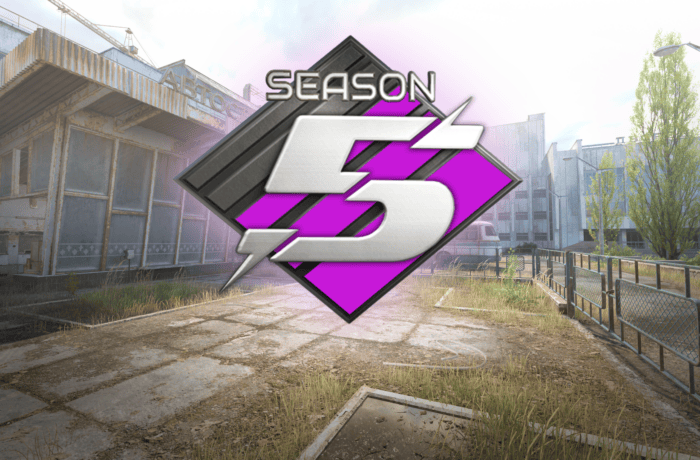
When Is the New CS2 Premier Season? Season 5 Has Started – Date, Time and Changes
Update – July 9, 2026: Premier Season 5 in Counter-Strike 2 has officially started. Valve launched the new season together with a major update released in Europe during the night of July 8 to July 9. Premier is available again, and players can return to ranked matches and begin competing in Season 5.
For several hours after the end of the previous season, many players were asking when the new CS2 Premier season would begin. Valve did not announce the exact release date or start time of Premier Season 5 in advance, so it was difficult to predict how long the break would last.
The wait was ultimately short. Premier Season 5 is now live, and Valve also changed the Active Duty map pool. Cache replaced Overpass, while the update also introduced changes to C4 explosion damage and added new content to the Armory.
When Is the New CS2 Premier Season?
The new CS2 Premier season started during the night of July 8 to July 9, 2026 in Central European time. Premier Season 5 is now active, and players can once again search for ranked matches.
Valve released the update late on July 8 according to UTC time. Due to the difference between time zones, it was already July 9 in Central Europe. This is why some sources list July 8 as the launch date, while others refer to July 9.
Both dates refer to the same update. For European players, the clearest answer is that Premier Season 5 began during the night of July 8 to July 9, 2026.
When Did CS2 Premier Season 5 Start?
Premier Season 5 started late on July 8 according to UTC time, which was already July 9 in Central Europe. After downloading the latest update, players regained access to Premier mode.
Before the release, it was not known exactly when the fifth season would begin. Valve confirmed the end of the previous season, but for some time did not reveal when Premier matchmaking would return.
Players shared many different predictions across social media and community forums. Some pointed out that previous season transitions usually included a break of around one or two days. Others believed Valve might need more time before launching the new season.
In the end, the new season began after a short break. Once again, Valve did not publish a detailed schedule in advance, and the announcement of Premier Season 5 appeared together with the game update.
What Time Did the New CS2 Premier Season Start?
The update that launched Premier Season 5 arrived at approximately 1:00 AM in Central European time. For European players, the new season therefore started on July 9, 2026.
Valve did not announce in advance what time the new CS2 Premier season would begin. Players did not receive an official countdown or a detailed release schedule. The update appeared relatively unexpectedly, just like many previous Counter-Strike 2 updates.
Not every player had to receive the update at exactly the same moment. Steam may sometimes begin the download only after the application has been restarted or after updates are checked manually.
If Premier is still unavailable, try the following:
- close Counter-Strike 2
- restart Steam
- check whether CS2 has downloaded the latest update
- wait until the installation is complete
- launch the game again
When Will CS2 Premier Be Playable Again?
CS2 Premier is already playable again. The mode returned together with the launch of Premier Season 5.
After downloading the latest update, simply launch Counter-Strike 2, open the game mode selection and choose Premier. Matchmaking is active again, so players can begin searching for matches.
The season-ending message that appeared earlier did not mean there was an account error, a restriction or a problem with individual access to Premier. The mode was temporarily unavailable for all players during the transition between Season 4 and Season 5.
If the old message still appears after the update, the game may not be running the latest version. Restart Steam and check whether another CS2 update is available.
When Is CS2 Premier Coming Back?
Premier has already returned. The new season started during the night of July 8 to July 9, 2026, and ranked matchmaking is currently available.
Before Season 5 went live, Valve did not announce a specific return date for Premier. This is why many players searched for information about when CS2 Premier would return and when ranked matches would become available again.
Valve did not create a separate countdown for the new season. The confirmation that Premier Season 5 had started appeared almost at the same time as the update itself.
Why Was CS2 Premier Unavailable?
Premier was temporarily disabled because Season 4 had ended and Valve was preparing the next stage of ranked competition. During the break, players could still use other Counter-Strike 2 modes, but searching for new Premier matches was unavailable.
This was not a server error or an outage affecting only certain players. Premier was unavailable because of the transition between seasons.
Similar breaks also happened during previous season changes. Valve usually needed between one and several days before launching the next season.
After the end of Season 4, many players therefore expected Premier to return relatively quickly. However, it was unclear whether the break would last one day, two days or longer.
Why Did Valve Not Announce the Premier Season 5 Release Date?
Valve rarely announces exact release times for Counter-Strike 2 updates. The company often reveals some upcoming changes, but does not provide a specific patch release date or hour.
The same happened before the launch of Premier Season 5. Players knew that the previous season had ended, but they were not told exactly when the new season would begin.
The lack of an official date led to many questions across community forums, Reddit and social media, including:
- when is the new CS2 Premier season
- when does the new Premier season start in CS2
- when does Premier Season 5 begin
- when will CS2 Premier be playable again
- when is Premier returning to CS2
- what time does the new Premier season start
There was no single confirmed answer before the release. The update itself finally confirmed the start of Season 5.
CS2 Premier Season 5 – What Has Changed?
The launch of Premier Season 5 is not limited to the return of ranked matchmaking. Valve also introduced several important changes related to maps and gameplay.
The biggest changes introduced with Season 5 include:
- the launch of Premier Season 5
- Cache added to the Active Duty map pool
- Overpass removed from the Active Duty map pool
- reworked C4 explosion damage
- new weapon and sticker collections
- new community maps
For Premier players, the return of Cache will likely have the greatest impact. The change affects the map pick and ban process and may require players to prepare new strategies.
Cache Replaces Overpass in Premier Season 5
With the launch of the new season, Cache officially joined the Active Duty map pool. At the same time, Valve removed Overpass.
This means Cache is now part of the main map pool used in Premier. Players can pick or ban the map before a match begins.
The return of Cache had been requested by a large part of the Counter-Strike community. The map has been one of the most recognizable locations in the series for many years and remains popular among players who remember previous versions of the game.
The change also means that players need to prepare new strategies. Those who have not played Cache regularly may need time to learn important positions, grenade lineups, rotations and common setups.
New C4 Explosion System in Premier Season 5
Valve also reworked how damage from the C4 explosion is calculated. The change applies to official bomb defusal maps.
The explosion shockwave now expands outward from the bomb instead of applying all damage instantly. Walls and corners can reduce the effect of the explosion, which means positioning can have a greater impact on the chance of survival.
A player standing very close to the bomb will still take extremely high damage. At longer distances, however, obstacles between the player and the explosion may become much more important.
The health bar can also display a preview of the expected damage. This makes it easier to judge whether the current position is safe enough.
New CS2 Armory Collections
Premier Season 5 launched together with an Armory update. Two new weapon collections were added:
- Arabesque
- Spy Tech
Valve also introduced two new sticker collections:
- Fruits & Vegetables
- Auto Racing
The Armory changes do not directly affect Premier gameplay, but they are part of the same major update that launched Season 5.
Is Premier Season 5 Available to Everyone?
Yes. Premier Season 5 is available after downloading the latest version of Counter-Strike 2.
Players do not need to join additional testing or download a separate version of the game. The update is distributed through Steam and should install automatically.
As before, access to Premier still requires players to meet the conditions already used in Counter-Strike 2. The start of the new season does not change the general access requirements.
When Is the Next CS2 Premier Season?
Valve has not yet announced the end date of Season 5 or the release date of the next Premier season.
Based on previous seasons, major Premier changes appeared roughly every few months. Season 3 started in July 2025, Season 4 began in January 2026, and Season 5 launched in July 2026.
If Valve follows a similar pattern, the next season could begin in early 2027. However, this is only a prediction based on previous timing.
Valve has not officially confirmed the release date of Premier Season 6. It is also unknown whether the next season will once again begin after approximately six months.
New CS2 Premier Season 2026 – Summary
Premier Season 5 is now live. The update was released late on July 8, meaning the new season began during the night of July 8 to July 9, 2026 for European players.
Premier is available again, and players can begin searching for ranked matches. The break after the end of Season 4 was not a bug or a server outage. It was part of the transition to the new season.
Valve did not announce a specific release date or start time in advance. The update itself finally confirmed that Premier Season 5 had started.
Alongside the new season, Cache replaced Overpass in the Active Duty map pool. Valve also reworked the C4 explosion system and introduced new Armory content.
The most important information is simple – players no longer need to wait. Premier has returned, and ranked matches are once again available in Counter-Strike 2.
Frequently Asked Questions About the New CS2 Premier Season
When is the new CS2 Premier season?
Premier Season 5 started during the night of July 8 to July 9, 2026 in Central European time.
When does the new Premier season start in CS2?
The new season has already started. Premier Season 5 is currently available.
When did CS2 Premier Season 5 start?
Season 5 launched late on July 8 according to UTC time. It was already July 9 in Central Europe.
What time did the new CS2 Premier season begin?
The update arrived at approximately 1:00 AM in Central European time.
When will CS2 Premier be playable again?
Premier is already playable. Matchmaking returned together with the launch of Season 5.
When is Premier coming back to CS2?
Premier has already returned and is available after downloading the latest update.
Why was Premier unavailable?
The mode was temporarily disabled after the end of Season 4. The break was related to the launch of Premier Season 5.
Which map was added in Premier Season 5?
Cache was added to the Active Duty map pool and replaced Overpass.
When does the next CS2 Premier season begin?
Valve has not announced the next season yet. Based on previous seasons, early 2027 is possible, but this has not been officially confirmed.
This article was updated on July 9, 2026 after the official launch of Premier Season 5.
Rainbow six siege aim settings: a consistent-hits framework for sensitivity, ADS, and controller/mouse tuning
Consistency in Rainbow Six Siege does not come from chasing a “perfect” sensitivity. It comes from building a setup that makes your aim repeatable under pressure, round after round.
How much do you lose selling CS2 skins? One $100 knife, four exits
Every guide about selling CS2 skins lists fees. Almost none of them tell you what actually lands in your pocket, which is the only number that matters. So let us take one skin worth 100 dollars on the Steam market and push it through all four ways out of the game.
The four exits, ranked by what you keep
There are only four realistic ways to turn a skin into something else, and they are not interchangeable.
| Route | What you get | Where the money can go |
|---|---|---|
| Steam market | the highest headline price | Steam wallet only |
| trade site | other items of similar value | nowhere, it stays in items |
| instant cashout site | the lowest amount | bank, PayPal, crypto |
| private sale | close to market price | anywhere, if the buyer is real |
Notice the pattern. The more freedom the money has, the less of it there is. That single line explains almost every complaint you will read about skin sites.
Route one: the Steam market
You list the skin at 100 dollars. A buyer pays 100 dollars. You do not receive 100 dollars, because Valve takes a cut on every sale.
What lands is somewhere in the mid eighties, and it lands in your Steam wallet. You can buy games with it, you can buy other skins with it, and that is the end of the list. It never becomes rent money.
So this route is excellent if you are staying inside Steam anyway, and useless if you wanted cash. Most people asking about selling skins want cash, which is why they end up looking elsewhere.
Route two: trading it away
Trade sites swap your item for other items. There is no percentage taken in the obvious sense, but there is a spread: the site values what it gives you slightly below what it takes.
In practice you end up holding items worth roughly 85 to 95 percent of what you handed over, sometimes better if you are trading up into something the site wants to move.
This is the best route when you do not actually want money. If you are trying to turn five mid tier skins into one good knife, trading beats selling and rebuying every time, because you skip two rounds of fees.
Route three: instant cashout
Here is where the number people quote as unfair comes from. Cashout sites buy your skin outright and send money to your bank, PayPal or a crypto wallet.
Two things reduce the amount. First, their buy price sits below the Steam market price, because they need to resell it and carry the risk that the price drops. Second, there is a commission on top.
Realistically your 100 dollar skin turns into somewhere between 60 and 80 dollars, depending on the site and how popular the item is. Fast movers get better offers. Something nobody wants gets a worse one, or no offer at all.
That gap is the price of liquidity. You are paying for the fact that the money arrives today and can be spent anywhere.
Route four: selling it privately
Selling directly to another player gets you closest to market price, because no company sits in the middle taking a cut.
It also carries the only real risk of losing everything. A stranger who receives the item first and then disappears has cost you the whole 100 dollars, not 20 percent of it.
If you go this way, use a middleman both sides trust, never send first to an unknown account, and treat any pressure to hurry as a reason to stop. The people who lose skins this way almost always describe the same rushed conversation afterwards.
Where the trade lock fits in
One detail decides whether any of this is even available to you today: whether the item is locked.
After a trade, an item sits under Steam’s protection for seven days. During that window it cannot be traded, sold or modified. It still counts toward your inventory value, and it is worth exactly nothing in cash until the clock runs out.
This matters for planning more than people expect. If you consolidate items on Monday and need money on Tuesday, you have locked yourself out of your own inventory for a week.
So the order is always the same: check what is free to move first, sell that, and only trade with what is left over. Anything else turns available money into money you will have next week.
What actually decides your number
Two skins with the same market price can pay out very differently, and it comes down to four things.
- Liquidity. Popular skins sell fast, so sites bid closer to market price. Obscure ones sit in inventory and get lowballed.
- Float. A cleaner wear on the same skin can be worth several times more, and cashout sites do price that in.
- Stickers. Rare tournament stickers can be worth more than the gun. Automated pricing often ignores them entirely, so a manual sale pays better.
- Timing. Prices move after every major update. Selling in the week a new collection lands is rarely the best moment.
Where people first go looking
Most players do not start by selling. They start by trying to get items for free, decide it is slower than expected, and only then look at what their inventory is worth.
That path is worth knowing, because it explains the disappointment. Items collected slowly through drops and free offers are usually low value ones, and low value items are exactly the category cashout sites price worst. We went through the realistic options in our walkthrough of getting free CS:GO and CS2 skins.
The same goes in the other direction. If you are buying rather than selling, the spread works against you again, and that explains why our overview of where to buy CS:GO skins matters before you spend anything.
And if you are wondering which items are worth holding rather than moving, the in game storage systems have their own rules, covered in the piece about the CS2 terminal and what it unlocks.
The mistake that costs the most
It is not choosing the wrong site. It is trading before selling.
People often consolidate several cheap skins into one expensive item so the sale is simpler, then cash that item out. Every one of those steps carries a spread, and the item they end up selling also comes with a seven day trade lock.
If cash is the goal, sell what you already have. If a better knife is the goal, trade and stop there. Mixing the two costs you twice.
A quick way to compare offers
Before you accept anything, spend five minutes on this. It is more useful than any review you will read, including this one.
- Pick three items from your inventory: one popular, one mid tier, one obscure.
- Get an offer for all three on two different cashout sites.
- Write down the percentage of the Steam price each one offers.
- Compare the obscure item in particular. That is where sites differ most.
- Check the payout method and minimum before you commit, not after.
You will usually find that the site with the loudest bonus offer is not the one with the best base price, and the difference is bigger than the bonus.
When selling is the wrong move entirely
When you still play with the skin. The money is small and the thing you are giving up is something you look at every round.
When you are selling to fund one purchase. Two conversions in a row, each with a spread, and you end up with less than you started.
When the item is trade locked. Nothing to decide yet, the clock has to run out first.
When prices just dropped. Unless you need the money now, waiting out a slump costs nothing but patience.
Frequently asked questions about selling CS2 skins
How much do you actually lose selling CS2 skins?
On the Steam market you lose the platform cut and the money stays in your wallet. Cashing out to real money typically returns 60 to 80 percent of the market price.
Why do cashout sites offer so much less?
They buy the item outright, carry the risk that its price falls before they resell it, and add a commission on top.
Is trading better than selling?
If you want other items, yes. Trading avoids two rounds of fees compared to selling and buying again.
Which skins pay out closest to market price?
Popular, liquid ones. Obscure items sit in inventory longer, so sites bid lower on them.
Is a private sale worth the risk?
It pays best and it is the only route where you can lose the entire item. Use a trusted middleman or skip it.
Do stickers increase what I get?
Sometimes, but automated pricing often ignores them. If your skin carries rare stickers, get a manual quote.
When is the worst time to sell?
Right after a major update that introduces a new collection, because older items usually dip for a while.
Last updated: September 2026
CS2 console not opening: the key is usually the problem, not the game
The CS2 console not opening is almost never a broken installation. You turned the developer console on, you press the key under Escape, and nothing happens. In most cases the game is fine and the setting is fine. The key is the problem, and the fix takes under a minute.
First, check the setting is actually on
It lives in Settings, under the Game tab, as Enable Developer Console. Set it to yes.
That step is in every guide because it genuinely is the answer for players who have never touched it. If the console has never worked for you, start here.
If it was already on, the problem is elsewhere, and everything below assumes you have checked this first.
Why the tilde key fails
The default binding is the key below Escape, which on a US layout produces a tilde. On other layouts that same physical key produces something else entirely.
This is the single most common cause and it explains why the problem is so much more frequent outside English speaking countries. The game is watching for a key your keyboard does not send.
The same issue shows up in Valve’s own bug reports, including layout specific cases on Linux, so it is a known behaviour rather than something wrong with your installation.
The fix is not to change your keyboard layout. It is to bind the console to a key that exists on yours.
The rebind, two ways
Through the menu. Open settings, go to Keyboard and Mouse, find the section for user interface keys, select the console entry and press the key you want. F1 through F4 are the usual choices because nothing else uses them.
Through the console itself, if you can open it at all: bind "f1" "toggleconsole". Same result, faster, and it also works when the menu entry is being awkward.
That second method is worth knowing because it is the one that survives. A binding set through the console can be put in your config file and it comes back after every update.
How to tell which of the two problems you have
There is a quick test that separates a disabled console from a key that is not arriving, and it saves going through every fix in turn.
Open the game settings, go to the keyboard section and look at what the console entry is currently bound to. Then press that key with the settings menu open, in the rebind field.
If the field registers the press, the key reaches the game and the problem is elsewhere. If the field stays empty, your keyboard is not sending what the game expects, and the layout is the culprit.
Thirty seconds, and it tells you whether to rebind or to start closing background applications.
When the key is fine and it still does nothing
Three less obvious causes, in the order worth checking.
Something else is capturing the key. Overlays, recording software, chat applications and keyboard utilities all grab shortcuts. If the console works after closing background applications, that was it, and the answer is either to rebind in the game or to change the shortcut in that other program.
A config file is overriding the setting. Custom configs copied from someone else frequently contain their own bindings. Testing with the config temporarily removed tells you within one launch whether that is the cause.
Launch options. Adding the console parameter forces it to initialise at startup, which helps in the cases where the setting appears enabled but behaves as though it is not.
The order to check things
| Step | What it rules out |
|---|---|
| setting in the Game tab | the console being disabled entirely |
| rebind to F1 | keyboard layout problems |
| close background applications | another program stealing the key |
| launch without custom config | a copied config overriding the binding |
| console launch option | initialisation issues |
Work down that list and you will find the cause in a couple of minutes. Working up from the bottom means reinstalling the game to fix a keyboard layout.
What people try that does not help
- Reinstalling the game. The setting and the binding survive reinstalls, so the problem comes back.
- Verifying game files. Useful for corrupted installs, irrelevant to a key that is not being sent.
- Changing the Windows keyboard layout permanently. Fixes the game and breaks your typing.
- Copying another player’s config wholesale. Frequently the cause rather than the cure.
Why this affects some players and not others
Two people can install the same game on the same day and have completely different experiences with this, which makes the problem feel random. It is not.
The variables are your keyboard layout, whether you have ever copied a config, and which applications you keep running while you play. Those three between them account for nearly every case.
Which is why guides contradict each other. Each one describes the cause its author happened to have, and readers with a different cause work through fixes that were never going to apply to them.
Running the checks in order rather than trying fixes at random is the entire trick here.
Once it opens
The console is the entry point to everything worth doing outside a match: practice servers, training commands, binds that the settings menu does not expose.
Most of those commands need cheats enabled first, which only works on servers you control, and we explained the boundaries in our write up on what sv_cheats 1 does in CS2.
The setup that turns a local server into a proper training environment is over at the CS2 practice server config, and the through walls command people look for most often is covered in the CS2 wallhack command for practice.
What the launch option actually does
Adding a console parameter to the game’s launch options comes up in every thread, usually without any explanation of why it might help.
What it does is force the console to initialise as the game starts, before any menu setting is read. That matters in the narrow case where the setting looks enabled but the console was never created, which is why the key does nothing regardless of what you press.
It is not a fix for a keyboard layout and it is not a fix for a program stealing the key. If those are your problem, the launch option changes nothing and you have simply added an option you do not need.
Worth trying after the first two checks, worth removing again if it makes no difference.
Making the binding permanent
- Bind the key from the console with the command above.
- Put that line in your autoexec file, so it runs at every launch.
- Keep the file short. Long inherited configs are where these problems start.
- Check it after major updates. Bindings occasionally get reset, and it takes ten seconds to confirm.
A single line in a file you understand beats a thousand line config downloaded from a stranger, and it is the difference between fixing this once and fixing it every few months.
If the console opens but commands do nothing
A separate situation worth naming, because people arrive at the same guides looking for it.
The console opens, you type something, and the game answers with nothing at all. That usually means the command is cheat protected and you are on a server that does not allow those, which covers most training commands.
The other possibility is that the command no longer exists. A large part of the old command set did not survive the move to CS2, and guides written for the previous game still list them.
Both cases look identical from the outside, and both are unrelated to the key that opens the window.
A note for non English keyboards
If you use a Polish, German, French or any other national layout, treat the rebind as the default step rather than the fallback.
The console key is the only part of the game that assumes a specific physical layout, and that explains why it is the only setting that behaves differently depending on where you live. Everything else in CS2 binds to keys the way you would expect.
Once rebound, it never comes up again. The players who fight with this for years are the ones who keep trying to make the original key work.
Frequently asked questions about the CS2 console
Why is my CS2 console not opening?
Usually because the default key is not present on your keyboard layout, or because the developer console setting is off.
Which key should I bind it to?
F1 through F4 are the safest choices, since nothing else in the game uses them by default.
How do I rebind it without the menu?
With bind "f1" "toggleconsole" typed into the console, then saved in your config.
Can another program block the key?
Yes. Overlays, recording tools and keyboard utilities all capture shortcuts. Closing them isolates the cause.
Does a custom config cause this?
It can. Configs copied from other players often contain bindings that override your own.
Will reinstalling fix it?
No. The setting and the binding persist, so the same behaviour returns.
Do I need the console for anything important?
For practice servers, training commands and custom binds, yes. In ordinary matches you rarely need it.
Last updated: August 2026
When Is the New CS2 Premier Season? Season 5 Has Started – Date, Time and Changes
Update – July 9, 2026: Premier Season 5 in Counter-Strike 2 has officially started. Valve launched the new season together with a major update released in Europe during the night of July 8 to July 9. Premier is available again, and players can return to ranked matches and begin competing in Season 5.
For several hours after the end of the previous season, many players were asking when the new CS2 Premier season would begin. Valve did not announce the exact release date or start time of Premier Season 5 in advance, so it was difficult to predict how long the break would last.
The wait was ultimately short. Premier Season 5 is now live, and Valve also changed the Active Duty map pool. Cache replaced Overpass, while the update also introduced changes to C4 explosion damage and added new content to the Armory.
When Is the New CS2 Premier Season?
The new CS2 Premier season started during the night of July 8 to July 9, 2026 in Central European time. Premier Season 5 is now active, and players can once again search for ranked matches.
Valve released the update late on July 8 according to UTC time. Due to the difference between time zones, it was already July 9 in Central Europe. This is why some sources list July 8 as the launch date, while others refer to July 9.
Both dates refer to the same update. For European players, the clearest answer is that Premier Season 5 began during the night of July 8 to July 9, 2026.
When Did CS2 Premier Season 5 Start?
Premier Season 5 started late on July 8 according to UTC time, which was already July 9 in Central Europe. After downloading the latest update, players regained access to Premier mode.
Before the release, it was not known exactly when the fifth season would begin. Valve confirmed the end of the previous season, but for some time did not reveal when Premier matchmaking would return.
Players shared many different predictions across social media and community forums. Some pointed out that previous season transitions usually included a break of around one or two days. Others believed Valve might need more time before launching the new season.
In the end, the new season began after a short break. Once again, Valve did not publish a detailed schedule in advance, and the announcement of Premier Season 5 appeared together with the game update.
What Time Did the New CS2 Premier Season Start?
The update that launched Premier Season 5 arrived at approximately 1:00 AM in Central European time. For European players, the new season therefore started on July 9, 2026.
Valve did not announce in advance what time the new CS2 Premier season would begin. Players did not receive an official countdown or a detailed release schedule. The update appeared relatively unexpectedly, just like many previous Counter-Strike 2 updates.
Not every player had to receive the update at exactly the same moment. Steam may sometimes begin the download only after the application has been restarted or after updates are checked manually.
If Premier is still unavailable, try the following:
- close Counter-Strike 2
- restart Steam
- check whether CS2 has downloaded the latest update
- wait until the installation is complete
- launch the game again
When Will CS2 Premier Be Playable Again?
CS2 Premier is already playable again. The mode returned together with the launch of Premier Season 5.
After downloading the latest update, simply launch Counter-Strike 2, open the game mode selection and choose Premier. Matchmaking is active again, so players can begin searching for matches.
The season-ending message that appeared earlier did not mean there was an account error, a restriction or a problem with individual access to Premier. The mode was temporarily unavailable for all players during the transition between Season 4 and Season 5.
If the old message still appears after the update, the game may not be running the latest version. Restart Steam and check whether another CS2 update is available.
When Is CS2 Premier Coming Back?
Premier has already returned. The new season started during the night of July 8 to July 9, 2026, and ranked matchmaking is currently available.
Before Season 5 went live, Valve did not announce a specific return date for Premier. This is why many players searched for information about when CS2 Premier would return and when ranked matches would become available again.
Valve did not create a separate countdown for the new season. The confirmation that Premier Season 5 had started appeared almost at the same time as the update itself.
Why Was CS2 Premier Unavailable?
Premier was temporarily disabled because Season 4 had ended and Valve was preparing the next stage of ranked competition. During the break, players could still use other Counter-Strike 2 modes, but searching for new Premier matches was unavailable.
This was not a server error or an outage affecting only certain players. Premier was unavailable because of the transition between seasons.
Similar breaks also happened during previous season changes. Valve usually needed between one and several days before launching the next season.
After the end of Season 4, many players therefore expected Premier to return relatively quickly. However, it was unclear whether the break would last one day, two days or longer.
Why Did Valve Not Announce the Premier Season 5 Release Date?
Valve rarely announces exact release times for Counter-Strike 2 updates. The company often reveals some upcoming changes, but does not provide a specific patch release date or hour.
The same happened before the launch of Premier Season 5. Players knew that the previous season had ended, but they were not told exactly when the new season would begin.
The lack of an official date led to many questions across community forums, Reddit and social media, including:
- when is the new CS2 Premier season
- when does the new Premier season start in CS2
- when does Premier Season 5 begin
- when will CS2 Premier be playable again
- when is Premier returning to CS2
- what time does the new Premier season start
There was no single confirmed answer before the release. The update itself finally confirmed the start of Season 5.
CS2 Premier Season 5 – What Has Changed?
The launch of Premier Season 5 is not limited to the return of ranked matchmaking. Valve also introduced several important changes related to maps and gameplay.
The biggest changes introduced with Season 5 include:
- the launch of Premier Season 5
- Cache added to the Active Duty map pool
- Overpass removed from the Active Duty map pool
- reworked C4 explosion damage
- new weapon and sticker collections
- new community maps
For Premier players, the return of Cache will likely have the greatest impact. The change affects the map pick and ban process and may require players to prepare new strategies.
Cache Replaces Overpass in Premier Season 5
With the launch of the new season, Cache officially joined the Active Duty map pool. At the same time, Valve removed Overpass.
This means Cache is now part of the main map pool used in Premier. Players can pick or ban the map before a match begins.
The return of Cache had been requested by a large part of the Counter-Strike community. The map has been one of the most recognizable locations in the series for many years and remains popular among players who remember previous versions of the game.
The change also means that players need to prepare new strategies. Those who have not played Cache regularly may need time to learn important positions, grenade lineups, rotations and common setups.
New C4 Explosion System in Premier Season 5
Valve also reworked how damage from the C4 explosion is calculated. The change applies to official bomb defusal maps.
The explosion shockwave now expands outward from the bomb instead of applying all damage instantly. Walls and corners can reduce the effect of the explosion, which means positioning can have a greater impact on the chance of survival.
A player standing very close to the bomb will still take extremely high damage. At longer distances, however, obstacles between the player and the explosion may become much more important.
The health bar can also display a preview of the expected damage. This makes it easier to judge whether the current position is safe enough.
New CS2 Armory Collections
Premier Season 5 launched together with an Armory update. Two new weapon collections were added:
- Arabesque
- Spy Tech
Valve also introduced two new sticker collections:
- Fruits & Vegetables
- Auto Racing
The Armory changes do not directly affect Premier gameplay, but they are part of the same major update that launched Season 5.
Is Premier Season 5 Available to Everyone?
Yes. Premier Season 5 is available after downloading the latest version of Counter-Strike 2.
Players do not need to join additional testing or download a separate version of the game. The update is distributed through Steam and should install automatically.
As before, access to Premier still requires players to meet the conditions already used in Counter-Strike 2. The start of the new season does not change the general access requirements.
When Is the Next CS2 Premier Season?
Valve has not yet announced the end date of Season 5 or the release date of the next Premier season.
Based on previous seasons, major Premier changes appeared roughly every few months. Season 3 started in July 2025, Season 4 began in January 2026, and Season 5 launched in July 2026.
If Valve follows a similar pattern, the next season could begin in early 2027. However, this is only a prediction based on previous timing.
Valve has not officially confirmed the release date of Premier Season 6. It is also unknown whether the next season will once again begin after approximately six months.
New CS2 Premier Season 2026 – Summary
Premier Season 5 is now live. The update was released late on July 8, meaning the new season began during the night of July 8 to July 9, 2026 for European players.
Premier is available again, and players can begin searching for ranked matches. The break after the end of Season 4 was not a bug or a server outage. It was part of the transition to the new season.
Valve did not announce a specific release date or start time in advance. The update itself finally confirmed that Premier Season 5 had started.
Alongside the new season, Cache replaced Overpass in the Active Duty map pool. Valve also reworked the C4 explosion system and introduced new Armory content.
The most important information is simple – players no longer need to wait. Premier has returned, and ranked matches are once again available in Counter-Strike 2.
Frequently Asked Questions About the New CS2 Premier Season
When is the new CS2 Premier season?
Premier Season 5 started during the night of July 8 to July 9, 2026 in Central European time.
When does the new Premier season start in CS2?
The new season has already started. Premier Season 5 is currently available.
When did CS2 Premier Season 5 start?
Season 5 launched late on July 8 according to UTC time. It was already July 9 in Central Europe.
What time did the new CS2 Premier season begin?
The update arrived at approximately 1:00 AM in Central European time.
When will CS2 Premier be playable again?
Premier is already playable. Matchmaking returned together with the launch of Season 5.
When is Premier coming back to CS2?
Premier has already returned and is available after downloading the latest update.
Why was Premier unavailable?
The mode was temporarily disabled after the end of Season 4. The break was related to the launch of Premier Season 5.
Which map was added in Premier Season 5?
Cache was added to the Active Duty map pool and replaced Overpass.
When does the next CS2 Premier season begin?
Valve has not announced the next season yet. Based on previous seasons, early 2027 is possible, but this has not been officially confirmed.
This article was updated on July 9, 2026 after the official launch of Premier Season 5.
Rainbow six siege aim settings: a consistent-hits framework for sensitivity, ADS, and controller/mouse tuning
Consistency in Rainbow Six Siege does not come from chasing a “perfect” sensitivity. It comes from building a setup that makes your aim repeatable under pressure, round after round.