
Simpay.pl – why is it a good solution for e-commerce entrepreneurs?
In the digital market, the most important aspects are speed, convenience, and transaction security. Sometimes, users of certain websites are reluctant to create special accounts or fill out complicated forms. They want to click, pay, and get access. This is where Simpay.pl stands out as a solution that combines these three elements, offering entrepreneurs and creators tools to support a variety of payment methods, from Premium SMS, BLIK payments, and transfers, to Direct Billing and payment cards.
What is simpay.pl?
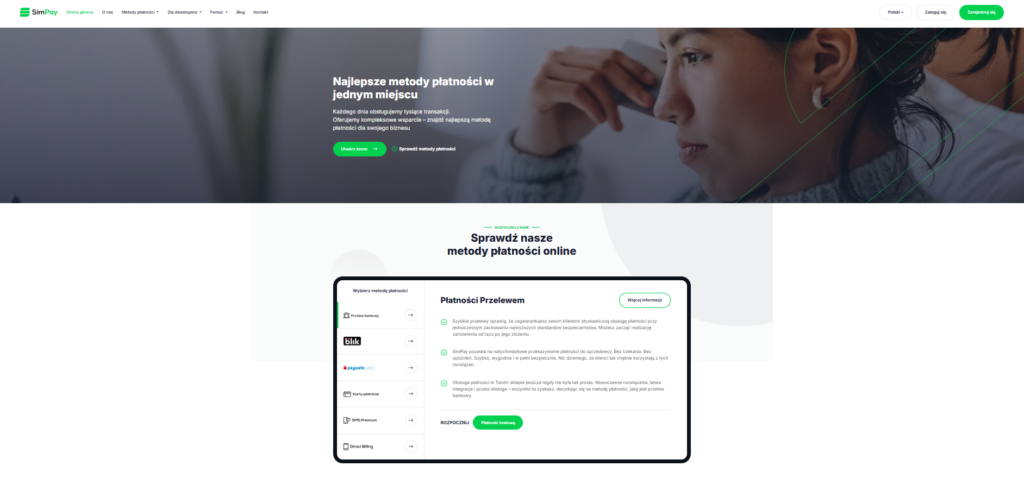
Simpay.pl is an online payment platform for online stores, digital services, and service providers who want to make it easier for customers to pay for goods or services. Every day, the system handles thousands of transactions and offers businesses solutions tailored to different sales models.

Various payment methods offered by Simpay
One of the biggest advantages of Simpay.pl is that it does not limit you to a single payment method. In practice, this means that users can tailor the payment method to their customers – and not the other way around. Everyone pays in the way that is most convenient for them. The available payment methods are:
Direct Billing
Here, the fee goes directly to the phone bill or is deducted from a prepaid account. This solution works well for subscriptions and content access. It is best used when the user mainly uses their phone.Premium SMS payments
This option still works well for digital content and micropayments. The customer sends an SMS, receives a code, and has access to the product in a few seconds. No card details, no bank login. Simple and fast.BLIK and quick transfers
The standard in Polish e-commerce. This payment method is now widely known and available at every bank. Entering a BLIK code or quickly approving a transfer in a banking app is now the most natural form of payment for many people. The transaction takes a moment and is confirmed immediately.Payment cards and PaySafeCard
A classic that still has a strong position. Cards are universal and recognizable, and PaySafeCard allows you to pay without revealing your bank details.Integrating your business with Simpay is incredibly easy!
The process of starting cooperation with Simpay.pl is described step by step on the website:
Account registration – the entrepreneur creates an account in the system and activates it by paying a symbolic refundable fee (PLN 1).
Integration with the store system – after activation, you add your store to the platform and use technical documentation, plugins, or API to connect the selected payment methods.
Active payment acceptance – funds from sales go directly to the seller’s account, and the system automates transaction processing.
Support for many popular e-commerce platforms (including WooCommerce, PrestaShop, and Magento) facilitates quick implementation of the system even without advanced technical knowledge.
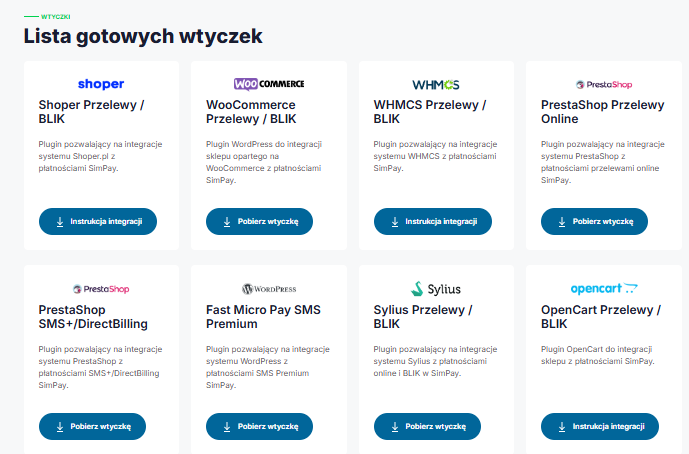
The website offers a list of ready-made plugins.
If you run an online store or create sales platforms and want your payments to work smoothly from day one, Simpay.pl has a specific solution for you. You don’t have to start programming everything from scratch – Simpay provides ready-made plugins and modules that allow you to instantly connect various payment methods to popular e-commerce systems such as WooCommerce, PrestaShop, OpenCart, WHMCS, and Shoper. This means that even if your store is not yet a “technological powerhouse,” you can offer your customers online transfers, BLIK payments, Premium SMS, or Direct Billing almost immediately. And if you use your own solution or want to integrate the system more deeply, Simpay gives you access to API documentation and libraries in multiple programming languages, making it easy to tailor payments exactly to your needs. The implementation process itself is simple and flexible.
Why should you use Simpay?
• Wide range of payment methods – includes both modern solutions such as BLIK and bank transfers, as well as traditional forms of payment.
• Technical security – connections encrypted with a 256-bit key ensure data and transaction protection.
• Intuitive customer panel – the dashboard allows you to track your transaction history and easily manage your payments.
• Local character – Simpay is a Polish company, and its support team also communicates in Polish.
StreamPay.pl – a simple way for creators to monetize their content
More and more streamers confirm that donations from viewers can constitute a large part of their monthly income, especially if the channel does not yet have thousands of subscribers or sponsors. According to data from streamer market analyses, even small channels can generate from several dozen to several hundred dollars a month from viewer donations and bits alone — while traditional advertising revenue often does not exceed several dozen dollars for a similar number of viewers.
What is StreamPay.pl?
StreamPay.pl is a platform that allows creators to accept payments from viewers in the form of donations. The solution was designed for streamers, YouTubers, and people building a community around their content. The system allows you to easily generate your own payment link, which can be placed under the broadcast, in the video description, or on social media.
Who will StreamPay be a good solution for?
The platform will work particularly well for:
gaming streamers,
YouTube and Kick creators,
influencers building a community,
people who do not yet have monetization from advertising,
creators who want to become independent from algorithms.
If your community is engaged, even small, regular donations can become a stable source of income.How does Stream Pay work?
The website is very simple and intuitive to use:
You register an account.
You configure your profile and payment settings.
You receive a personalized donation link.
You add it to your stream or bio.
You receive payments from viewers.
Additionally, you can integrate the system with OBS or other streaming software so that payment notifications appear directly on the stream.The website offers a proprietary preview panel
One of the practical elements of the platform is a proprietary preview panel that allows creators to control all the most important information about payments in one place. From the dashboard, you can check your transaction history, current balance, support statistics, and viewer activity on an ongoing basis. The panel has been designed to be clear and intuitive, without being overloaded with unnecessary features. This allows even novice streamers to quickly find their way around the system and focus on creating content instead of analyzing complex reports. It is a tool that makes monetization management easier and gives you full control over the flow of funds.
Competitive commissions
Depending on the payment method selected, StreamPay commissions vary slightly: most options, such as BLIK, online transfer, or “Pay later,” offer a 97.11% commission for the user with a minimum fee of PLN 0.1, while PaysafeCard provides an 84% commission with a minimum amount of PLN 0.15. The most advantageous in terms of commission are SMS+ and PayPal, which offer a full 100% commission with no minimum fees, while Skrill and Kinguin pay 92% and 88% commission, respectively, with Skrill requiring a minimum fee of PLN 10. The entire list shows transparent rules for calculating remuneration, allowing you to choose the most profitable payment method.

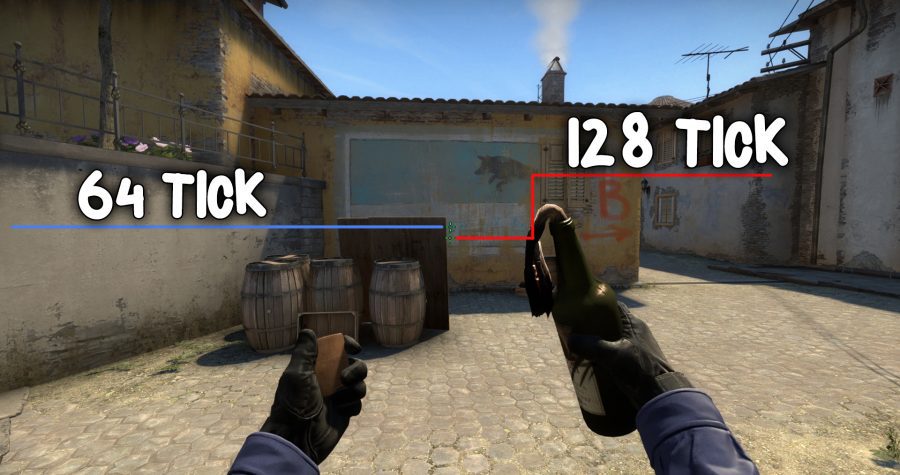
Source 2 and 128-tick servers may appear on May 18 in CS GO!
The CS:GO community has long been awaiting an update that will introduce Source 2, the new Valve engine and 128 tickrate server. According to information received by reddito users, a note about Source 2 appeared on weibo.
Source 2 CSGO
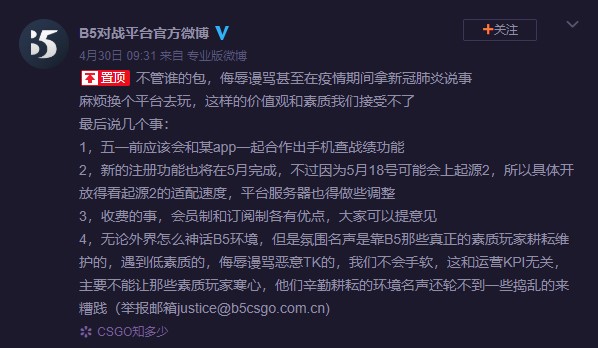
Weibo is a Chinese microblogging site, is one of the largest social media platforms in China. The official profile of the B5 platform (something like faceit in China) published information about the new registration in May, but after May 18, as Source 2 will probably appear then.
New registration function will also finish by May, however due to Source 2 probably coming up on May 18th, so everything is up to the pace of the release of Source 2 update, battle platform server will also need to adjust as well
CSGO update
Files related to the new Source 2 engine in the game have been appearing for a long time and not only in CSGO. In one of the updates in Dota (which already has a Source 2 engine) in February there was an entry:
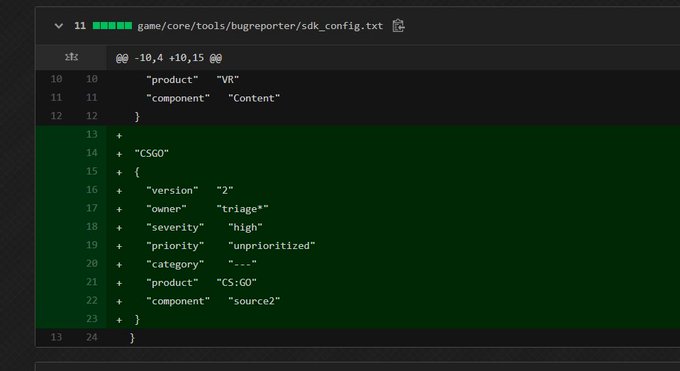
Source 2 is getting closer and we can expect this update anytime soon! It is not known whether game mechanics and textures will change. Source 2 will probably only be available in the beta for a long time.
Bind to clean blood in CS:GO
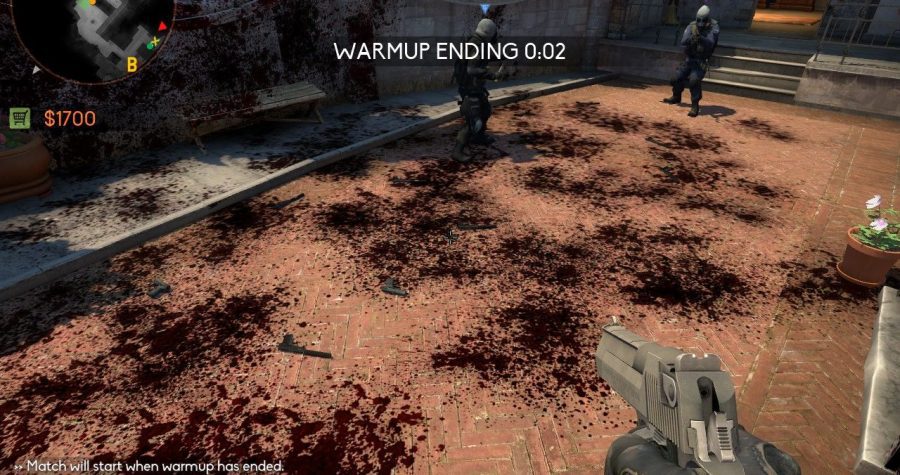
You’ve probably had so many times that blood or bullet marks obstructed your enemy or confused FPS and general visibility on the map. In this guide, I will show you the command to clean blood and bullets, and examples of binds that you can use in the game. Check how you can clear decals csgo.
Command to remove blood and bullet marks
The command to clean the blood is: r_cleardecals, just type it in the console to remove blood from the map.
Bind for blood cleaning
The first bind that removes blood when you press shift or ctrl:
bind "shift" "+ speed; r_cleardecals;" bind "Ctrl" "+ duck; r_cleardecals;"
Clear blood csgo
This bind allows you to clean the map when reloading weapons:
bind "R" "+ reload; r_cleardecals"
CSGO clear decals Bind can be entered in the console, in the startup settings, or in our configuration file (cfg).
Commands for more FPS in CS:GO in 2020!
In this guide, I will introduce you to all commands for more fps in CSGO in 2020. How to make more FPS in CS GO? There are plenty of options, it is worth starting by reducing the graphics settings in the game. Later, we can use the start parameters: Basic start parameters in CS:GO. Below are all ways to increase FPS in CS:GO.
Game settings
Reduce the graphics settings in the game, the main role is played by textures, shadows and resolution. The lower the resolution, the more FPS in CS:GO.
Enter the appropriate startup commands given in this guide: Basic startup parameters in CS:GO.
It is also worth taking a look here if you have a Nvidia card: How to set Nvidia drivers for more FPS in games ?.
Remember that FPS depends on your equipment, it cannot be doubled only by commands. The commands will allow you to reduce lag on your computer and thus increase the FPS by several percent.
Embrace your computer
Try to clean unnecessary files and increase free disk space. You can also scan your computer with an anti-virus and, for example, the ADWCleaner tool, which removes unwanted “worms,” or programs that display unwanted ads. It is also worth mentioning about physically cleaning parts of the computer. Dust in the housing causes an increased temperature, so components may not work at full power. Replacing the thermal grease and cleaning the fans of dust will not hurt and will always help.
Useful sv_cheats 1 commands in CS: GO!
You’ve probably heard about the magical sv_cheats 1 command, which allows you to run e.g. wh in CS: GO. In this guide I will introduce you to most of the sv_cheats commands, which are useful for playing with friends or training aima.
Useful sv_cheats commands
Remember that you can enter the sv_cheats 1 command only on the local server or on the private server where you have access to rcon. Just start the training server with bots.
Wallhack Command CSGO
Wallhack means that you can see other players through the walls. There are several commands that enable this option:
r_drawothermodels 2 – Basic and best known command on WH in CSGO. The default value is 1 (no wh). It can be 0, 1 or 2.
enable_skeleton_draw 1 – This will render all players ‘skeleton’, giving you the opportunity to see ‘skeletons’ through the walls. The default value is 0. It can be 0 or 1.
mat_wireframe 2 – works very much like the first command. The difference is that this command renders more details of the player’s skeleton. The default value is 0. It can be 0, 1, 2, 3 or 4.
mat_proxy 2 – This is more like a traditional wallhack. You’ll be able to see players through some walls and objects, but your screen will sometimes be very bright, so it’s not so useful. The default value is 0. It can be 0, 1, 2 or 3.

Commands for flying and immortality in CSGO
These commands work like the classic codes that can be found in a computer game. It gives you invincibility, infinite ammo and the ability to move around objects.
god – “god” mode. It gives you immortality. Re-type to disable it.
sv_infinite_ammo 1 – Gives you infinite ammo for all your weapons. The default value is 0. It can be 0, 1 or 2, which will give you different degrees of infinite ammunition.
0: no infinite ammo
1: infinite ammo with infinite magazine size (no need to reload)
2: unlimited ammo, but limited magazine size (need to reload)
noclip – The mode of flying and moving on the walls. Re-type to disable.
thirdperson – Typing a third person in the console menu will change the view from first person to third. To return to the first-person view, enter “firstperson” in the console.
r_drawparticles 0 – Cheat / “no smoke” command. Using this command will hide particles, including smoke from smoke grenades, unless you are standing directly in the smoke.
The default value is 1. It can be 0 or 1.
fog_override 1 – “no fog” command. When you zoom in on a sniper rifle, the image will be a little hazy. When this command is active, you will have a clear image even when zoomed in. After using fog_override 1, you should use fog_enable 0 to completely turn off fog.
fog_enable 0 – Disable fog – see previous command. The default value is 1. It can be 0 or 1.
fogui – This will open an interactive user interface (UI) that you can play with fog settings. You can reduce and increase the fog, and even change the color of the fog.
host_timescale [value] – “speedhack” command replace [value] with any value. This will not only speed up you, but will change the speed / time scale of the entire server, making everyone look super fast or slow. The default is 0. Higher values will make you move faster, and lower values will make you move more slowly. Example values Acceleration: host_timescale 5 Slow motion: host_timescale 0.5
host_framerate [value] – Another speedhack command, replace [value] with any value. This works by blocking frames per second, which in turn will make the game accelerate / bloom. The default value is 0 (disabled). If you set host_framerate to 500, you will see that your in-game FPS counter is locked to 500 FPS, while you don’t really get 500 FPS, your game moves will be slower. Higher values = slower. Lower values = faster. Example Speedhack values: host_framerate 50 Slow motion: host_framerate 500
sv_consistency 0 – Bypass consistency. This command enables / disables whether the server enforces file consistency for critical files. The default value is 0.
sv_showimpacts 1 – Shows all arrows, bullet and grenade paths. The default value is 0. It can be 0 or 1.
cl_pitchup 900 – Unlock maximum crosshair. 900 can be replaced with any value. This is the amount you can move up. If you set it to 900, you can move up as much as you like until you turn around and you are upside down. The default value is 89.
cl_pitchdown 900 – Unlock maximum crosshair. Opposite cl_pitchup. The default value is 89.
snd_show 1
snd_visualize 1: ESP sound commands. Displays various information about the sounds in the game. The default value is 0.
cl_leveloverview 2 – This command will show the entire map in advance. However, this command can sometimes be incorrect and sometimes works. The default value is 0. The values can be 0, 1 or 2.
CSGO rendering commands
mat_fullbright 3 – Fullbright command. At the highest value, the walls and models will be smooth and bright. The default value is 0. It can be 0, 1, 2 or 3.
mat_fillrate 1 – This is a “no flash” command, sometimes called “Asus wallhack”. When this option is on, the screen will not be brightened when it is flashed by a flash grenade. The default value is 0 (off). It can be 0 or 1.
r_showenvcubemap 1 – When this command is enabled, all models and weapons will look like they have a chrome finish. The default value is 0. It can be 0 or 1.
mat_showlowresimage 1 – Minecraft mode. This command will enable extremely low resolution, making the walls and surroundings look like Minecraft. The default value is 0. It can be 0 or 1.
The command to throw the knife: mp_drop_knife_enable 1. The default value is 0 (knife throwing disabled).
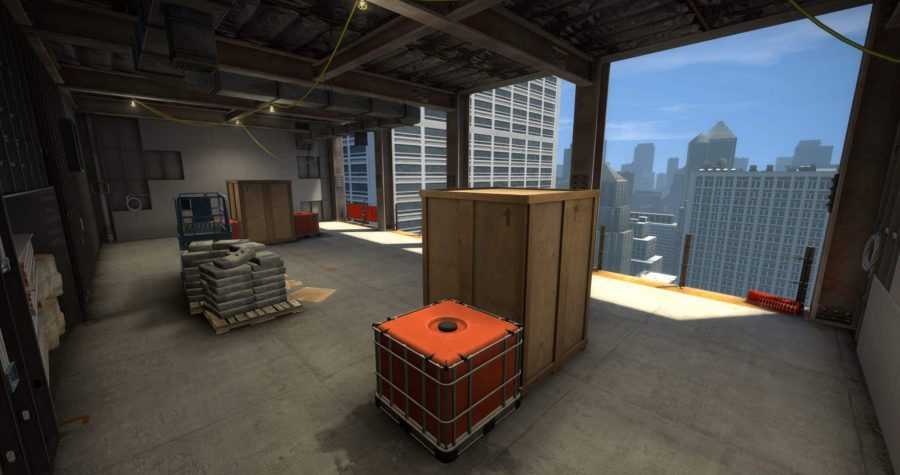
CSGO update 17.04.2020 – 1vs1 arenas warming up, changes in the visibility of the sights!
Another CSGO update! This time Valve reacted quite quickly and nerfed Deagel, who after the last update became powerful and was able to shoot heads in the jump. From now on, we can see their crosshairs while watching players, just like it is in Valorant! Additionally, the 1vs1 warm-up function in wing mode has been added.
Description of the update CS GO 17.04.2020
[GAMEPLAY]
– Added one-on-one warmup arenas when playing Wingman mode on Vertigo and Train
– Added a new weapon parameter “inaccuracy jump apex”, set to 331.55 for the Deagle
[UI]
– Added ability to see crosshairs of observed players
– Added ability to copy crosshairs of other players (through the scoreboard).
– Added ability to listen to music kit MVP anthem when inspecting music kits.
[MUSIC]
– Added the Masterminds Music Kit Box, available in regular and StatTrak™ variants, featuring 7 new music kits:
— Austin Wintory, Bachram
— Daniel Sadowski, Eye of the Dragon
— Dren, Gunman Taco Truck
— Matt Levine, Drifter
— Sam Marshall, Bodacious
— Tim Huling, Neo Noir
— Tree Adams and Ben Bromfield, M.U.D.D. FORCE
[MISC]
– Fixed agents sometimes not holding weapons on the end of match screens
– Fixed agents in Perfect World version sometimes vocalizing English radio commands
– The Events tab of the Watch menu will now also present online competitions
[MAPS]
– Anubis
— Fixed the prop draw distance at canal in front of A
— Increased the bomb explosion radius from 400 to 450
— Improved readability at A main and middle
— Several clipping fixes
— Fixed some missing prop faces
— Improved navigation so bots now know how to drop down areas
— Moved the spawn icons on the radar to the right coordinates
— Fixed nav file issue
– Chlorine
— Visual rework of base textures to help visibility
— Made B bombsite lights brighter
— Removed floating displacement near CT spawn
– Jungle
— Added more loot crates in few regions of a map
— Fixed some community bug reports (including flying ladder)
— Updated minimap tablet texture
— Added one extra house near Radio Tower region
— Reworked wooden fences prop (removed holes)
— Fixed collision mesh of solar battery model
– Vertigo
— Brightened i-beam textures
— Replaced wooden fence on A site with metal version, decreasing wallbang damage
— Bombsite B:
— Lowered height of site by 32 units
— Tightened exit from T stairs
— Removed “window” entrance from mid, replaced with a raised entrance near CT spawn
— Flipped railings on stairs to site, to allow jump up from sandbag position
— Reworked site layout and cover
— Moved connector from B halls that went under mid, to further towards T spawn
— Enabled B site in Wingman mode
— Experiment: In Wingman mode, during Warmup, players will spawn in an 1v1 arena
– Train
— Moved pigeons that sometimes spawned near Ivy, no longer visible from CT side of ivy
— Fixed not being able to walk off top of ladder on oil train, B site
— Brightened scaffolding by oil train
— New collision model on dumpsters found around the map
— Experiment: In Wingman mode, during Warmup, players will spawn in an 1v1 arena
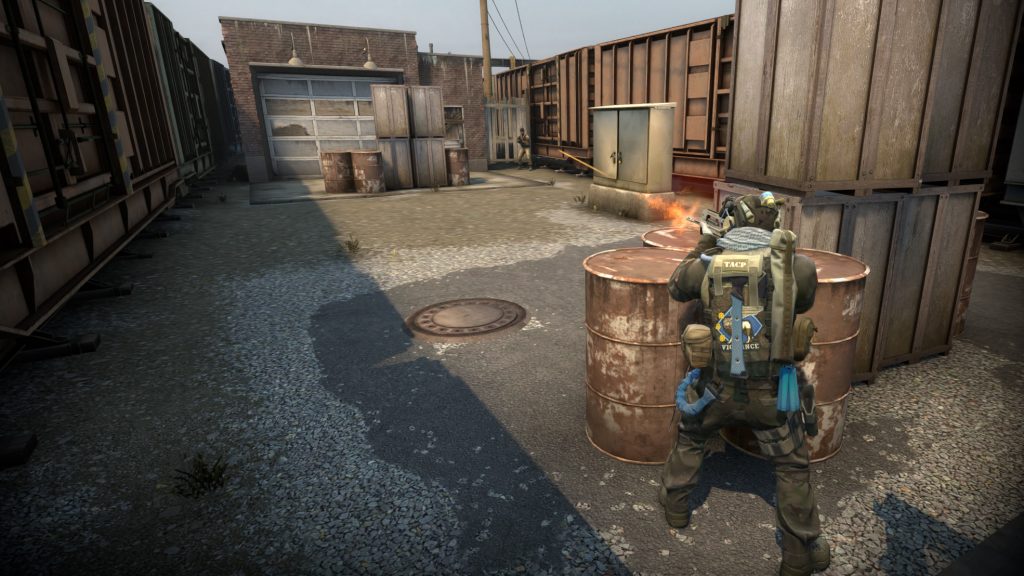
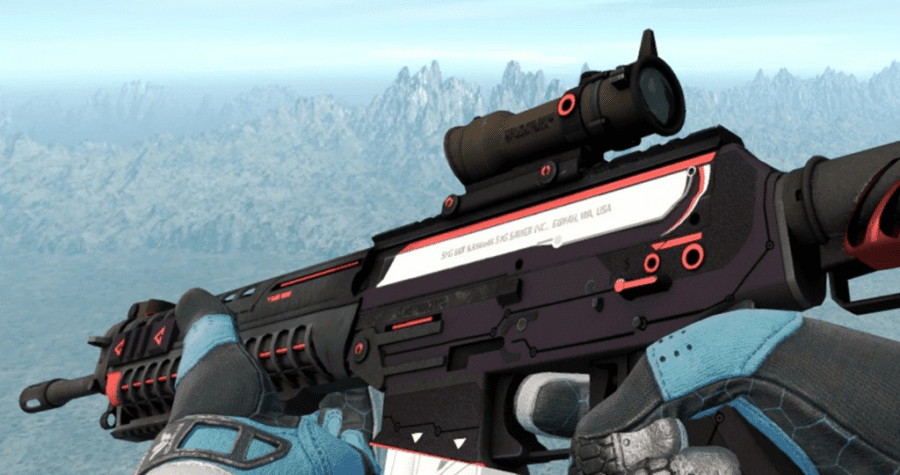
Nerf SG553, new weapons prices, so it’s CSGO update 11.04.2020!
We’ve come to the next CS: GO! Update awaited by many players! The latest CS: GO update from 11.04.2020 introduces the SG553 nerf, AUGa, the price of M4A1-S has been changed and several parameters of the guns have been improved. In addition to changes in weapons, the game has also been optimized and several map corrections have been made.
Here is the full update note:
[WEAPONS]
– SG553 – Reduced rate of fire and accuracy to bring the weapon’s value to be more in line with other rifles.
– AUG – Improved standing accuracy while unscoped. Slightly reduced scoped accuracy.
– M4A1-S – Price reduced to $2900.
– Deagle – Improved accuracy while jumping, lowering the time to recover accuracy after the player lands.
– Tec-9 – Reduced firing inaccuracy.
– Bizon – Increased armor penetration.
[MISC]
– Compressed several textures for less memory consumption.
– Silenced auto-vocalizations by bots during warmup.
– Removed ‘Guardian’ from “Looking to Play’ tab.
– Added a launch option -noubershader. Users on very old Intel hardware can set this launch option to improve their framerate. This option is not recommended otherwise as it is likely to cause stuttering on the overwhelming majority of GPUs.
[MAPS]
– Anubis:
— Moved from Scrimmage to Competitive mode.
— Fixed water reflection issues.
— Fixed all reports regarding clipping and unintended boost spots.
— Improved performance.
– Inferno:
— Wall by door to A site balcony is bingelibangable.
— Tweaked HDR settings.
– Office:
(Changes based on pro player feedback)
— Snow has accumulated by dumpster in back courtyard.
— Beverage machines have been restocked.
— Office is now a non-smoking environment.
— Tidied up kitchen break room.
– Overpass:
— New collision model on dumpsters found around the map.
— Fixed pixel boost #151 in water by B site.
— Revised world lighting.
— Reworked bombsite A backdrop.
– Chlorine:
— Changed environment light to brighter shades
— Changed default CT player model to FBI
— Added plywood on B bombsite for better visibility
— Removed water puddles to avoid players being seen in smoke
— Fixed areaportal on squeaky door
— Added grenade clip on yellow tarp
— Included missing material for glowy eyes
— Fixed clipping issue near crazy river
— Fixed few bombstuck spots
– Mirage:
— Fixed some clipping issues.
— Blocked vis under truck on B site.
CSGO Update 11.04.2020
Here are the exact parameters for changing weapons:

Funny meme CSGO

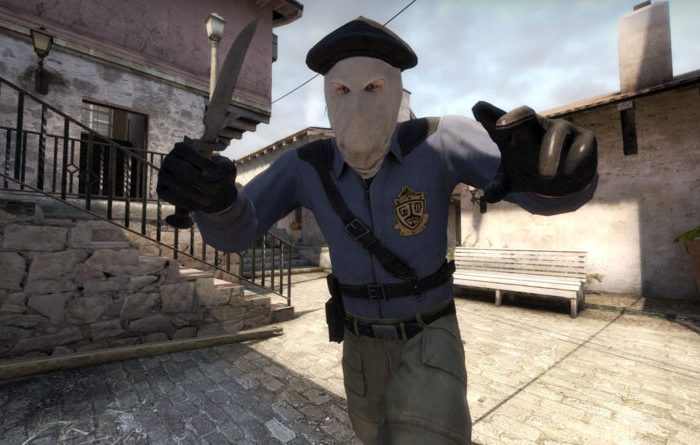
1000 Health Command in CSGO!
You have probably seen many times videos of YouTubers who played with viewers with 1000 hp in CSGO and wondered how to do it? In this short tutorial, I will introduce you to the csgo hp command.
Health command cs go
Remember that the hp command can only be enabled on your server or community server where you have access to the admin (rcon), you cannot add hp during a tournament match on the official Valve server.
- For the command on HP cs go to work, you need to turn on the sv cheats mode, you do it with the command: sv_cheats 1
- Now all you have to do is enter the command on HP:
ent_fire! Self addoutput "health 1000
You can replace the value of 1000 with any other number, this is the amount of HP you will receive.
And that’s all! Now you can play with the changed amount of HP. Good luck!
AimBot command in CSGO
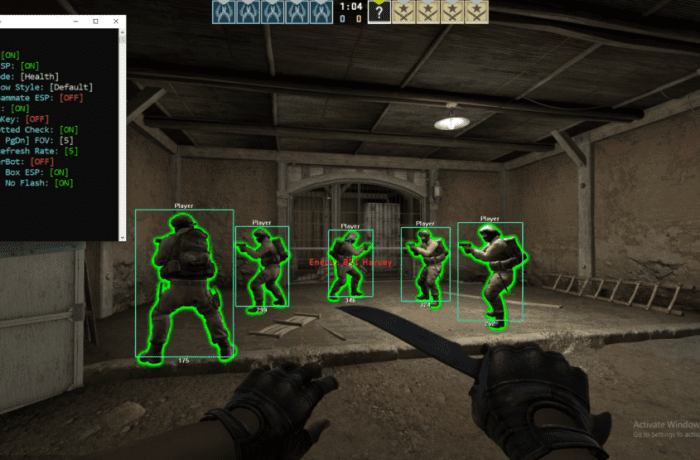
Aimbot is a program that facilitates shooting in CSGO. It automatically places the crosshair on the opponent’s head, so the person who cheats has a significant advantage over the opponent. In CS:GO there is an aimbot command that allows you to play with this setting on a server with bots. What is the command on the aimbot in cs go?
Aimbot cs go commands
The command we present works only on servers with bots, or those where you have access to the admin (rcon). How to enable the aimbot in csgo?
After entering the server with bots, you should turn on the cheat mode with the command: sv_cheats 1.
Then you need to enter the command on the aimbot in csgo: ent_fire cs_bot AddOutput "ModelScale 0". From now on, our arrows hit the heads of our opponents. And that’s it, you can test it on a server with bots, you won’t get a VAC Ban for it. In tournament mode, this command will not work, so you can play with it.
For a better effect, we can use the r_drawothermodels 2 command, because the side effect of this “aim” is to hide a part of the character model.
Below you will find a video from a Portuguese creator showing how this command works:
Free CSGO cheats
This command is a kind of free undetectable CSGO cheat. For a moment, we can feel like our Russian friend from the opposite team who fires real cheats after losing a few rounds in a tournament match. If you came here looking for CSGO cheats, remember that it’s not worth it ? Cool down and play fair and try not to spoil the game for other players!
CS GO unlimited money commands
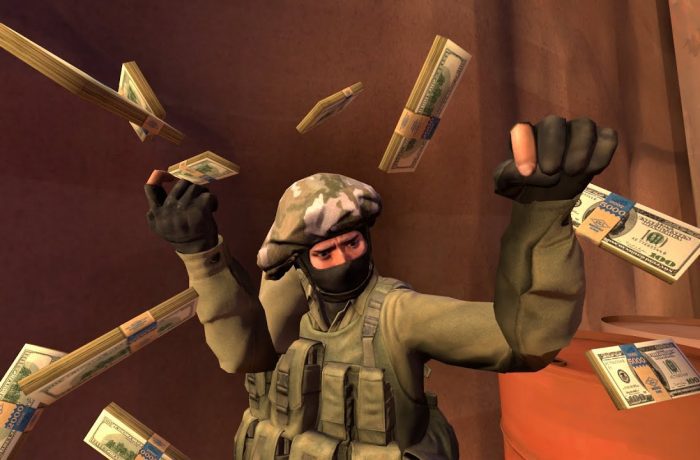
CSGO allows many game modes. Starting from a standard tournament match going through simplified arms racing up to the Danger Zone. In addition, we can also play on our servers with bots or friends. Sometimes, if we want to play, we need non-standard csgo commands. In this short tutorial I will present the command to add money in csgo.
CS GO unlimited money commands
The money command in CSGO can only be used on a server with bots, or one on which we have administrator rights (rcon). It is also possible to use this command by a normal player if the server allows cheats.
The first thing we need to do is turn on the “cheat” mode with the command: sv_cheats 1.
Then enter the money command: impulse 101. Exactly this command will add the maximum amount of cash set by the server (by default 16,000 dollars), full health and a vest with a helmet http://www.zintego.com.
How to change the money limit in csgo? It’s very simple, just enter the command: mp_maxmoney 100000. 100000 should be changed to any amount that we want to set as the maximum on the server.
CSGO Launch Options List & Guide 2021
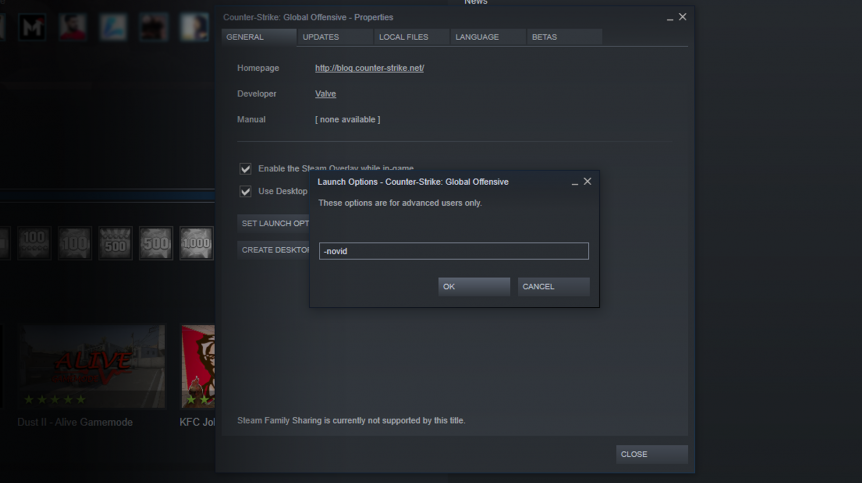
Where are the launch options in CS:GO? What are the basic startup options? In this guide, I will introduce you to CS:GO startup parameters that you should know!
What are launch options in CSGO?
Startup parameters, or startup options, are commands that are executed when starting the game. Thanks to them, we can increase fps in csgo, skip the intro, speed up the launch of the game, and minimize it.
CSGO Launch Options Full list
-novid -> Disables the intro when launching the game, making it launch faster
-console -> Automatically starts the console when you start the game-tickrate 128 -> Set tickrate 128 on servers created by the player, e.g. local server with bots.
+cl_forcepreload 1 -> A command that allows all animations and the entire map to load before joining the server. The command adds a few FPS and reduces their drops during the game.
+mat_queue_mode 2 -> Parameter that automatically assigns all cores / threads for CSGO.
–full/-fullscreen -> The game opens in a full window
-windowed -> Opens the game in a window
-noborder -> Turns off the frame of the game when we run it in a window
-refresh -> Option to set the refresh rate of the monitor. For example, if we have a 144hz monitor, set -refresh 144
-language -> The command for setting the language in the game. For example -language polish or -language english
-nod3d9ex -> The command disables some DirectX9 functions. Thanks to this, it should save some GPU and increase several FPS and speed up the minimization of the game.
-d3d9ex -> A command that reduces CPU usage in the game.
-nojoy -> A command that turns off the joystick support in the game saves some ram.
+exec autoexec.cfg -> A command that allows you to indicate the configuration file to be loaded, e.g. with a crosshair.
-high/medium/low – Sets the game to high / medium or low priority. In the latest versions, it does not necessarily add FPS, but it is worth checking for yourself how it behaves.
1000 Health Command in CSGO!
You have probably seen many times videos of YouTubers who played with viewers with 1000 hp in CSGO and wondered how to do it? In this short tutorial, I will introduce you to the csgo hp command.
Health command cs go
Remember that the hp command can only be enabled on your server or community server where you have access to the admin (rcon), you cannot add hp during a tournament match on the official Valve server.
- For the command on HP cs go to work, you need to turn on the sv cheats mode, you do it with the command: sv_cheats 1
- Now all you have to do is enter the command on HP:
ent_fire! Self addoutput "health 1000
You can replace the value of 1000 with any other number, this is the amount of HP you will receive.
And that’s all! Now you can play with the changed amount of HP. Good luck!
AimBot command in CSGO
Aimbot is a program that facilitates shooting in CSGO. It automatically places the crosshair on the opponent’s head, so the person who cheats has a significant advantage over the opponent. In CS:GO there is an aimbot command that allows you to play with this setting on a server with bots. What is the command on the aimbot in cs go?
Aimbot cs go commands
The command we present works only on servers with bots, or those where you have access to the admin (rcon). How to enable the aimbot in csgo?
After entering the server with bots, you should turn on the cheat mode with the command: sv_cheats 1.
Then you need to enter the command on the aimbot in csgo: ent_fire cs_bot AddOutput "ModelScale 0". From now on, our arrows hit the heads of our opponents. And that’s it, you can test it on a server with bots, you won’t get a VAC Ban for it. In tournament mode, this command will not work, so you can play with it.
For a better effect, we can use the r_drawothermodels 2 command, because the side effect of this “aim” is to hide a part of the character model.
Below you will find a video from a Portuguese creator showing how this command works:
Free CSGO cheats
This command is a kind of free undetectable CSGO cheat. For a moment, we can feel like our Russian friend from the opposite team who fires real cheats after losing a few rounds in a tournament match. If you came here looking for CSGO cheats, remember that it’s not worth it ? Cool down and play fair and try not to spoil the game for other players!
CS GO unlimited money commands
CSGO allows many game modes. Starting from a standard tournament match going through simplified arms racing up to the Danger Zone. In addition, we can also play on our servers with bots or friends. Sometimes, if we want to play, we need non-standard csgo commands. In this short tutorial I will present the command to add money in csgo.
CS GO unlimited money commands
The money command in CSGO can only be used on a server with bots, or one on which we have administrator rights (rcon). It is also possible to use this command by a normal player if the server allows cheats.
The first thing we need to do is turn on the “cheat” mode with the command: sv_cheats 1.
Then enter the money command: impulse 101. Exactly this command will add the maximum amount of cash set by the server (by default 16,000 dollars), full health and a vest with a helmet http://www.zintego.com.
How to change the money limit in csgo? It’s very simple, just enter the command: mp_maxmoney 100000. 100000 should be changed to any amount that we want to set as the maximum on the server.
CSGO Launch Options List & Guide 2021
Where are the launch options in CS:GO? What are the basic startup options? In this guide, I will introduce you to CS:GO startup parameters that you should know!
What are launch options in CSGO?
Startup parameters, or startup options, are commands that are executed when starting the game. Thanks to them, we can increase fps in csgo, skip the intro, speed up the launch of the game, and minimize it.
CSGO Launch Options Full list
-novid -> Disables the intro when launching the game, making it launch faster
-console -> Automatically starts the console when you start the game-tickrate 128 -> Set tickrate 128 on servers created by the player, e.g. local server with bots.
+cl_forcepreload 1 -> A command that allows all animations and the entire map to load before joining the server. The command adds a few FPS and reduces their drops during the game.
+mat_queue_mode 2 -> Parameter that automatically assigns all cores / threads for CSGO.
–full/-fullscreen -> The game opens in a full window
-windowed -> Opens the game in a window
-noborder -> Turns off the frame of the game when we run it in a window
-refresh -> Option to set the refresh rate of the monitor. For example, if we have a 144hz monitor, set -refresh 144
-language -> The command for setting the language in the game. For example -language polish or -language english
-nod3d9ex -> The command disables some DirectX9 functions. Thanks to this, it should save some GPU and increase several FPS and speed up the minimization of the game.
-d3d9ex -> A command that reduces CPU usage in the game.
-nojoy -> A command that turns off the joystick support in the game saves some ram.
+exec autoexec.cfg -> A command that allows you to indicate the configuration file to be loaded, e.g. with a crosshair.
-high/medium/low – Sets the game to high / medium or low priority. In the latest versions, it does not necessarily add FPS, but it is worth checking for yourself how it behaves.